

I Want to Add a Logo to My Website
Our Logos Block is a powerful design tool that completes your website’s look and feel. Logos are important visual elements that help users navigate through your website to learn more about your brand.
It’s an easy way to begin showcasing the clients you work with or directing your users from one place to another, and even making sure your brand is seen!
Steps to adding a Logo:
- Click on the + icon to add a new block to your page
- Type in “Logos” to find the Logos Block
- Select Logos
Now that you have the logo on your site, you can begin to customize it by clicking on the Logos icon hovering above the image icon. The block editor will now appear on the right side.

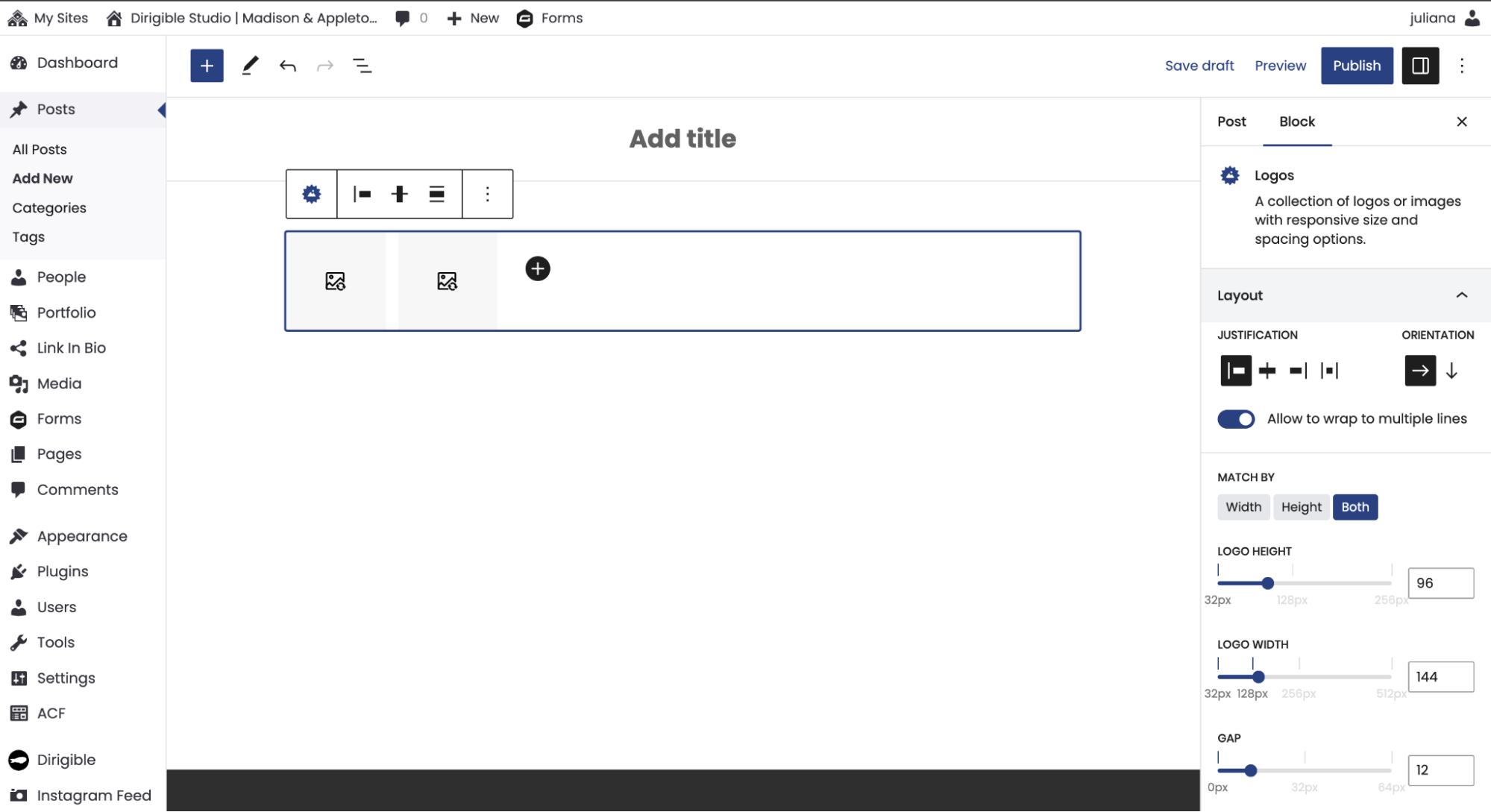
Visit our support site for more information about editing your logos.
But wait, there’s more!
The logo child blocks hold links, so your users can be taken directly to any site that you want them to go to in just one click! You can also organize rows of uniform images with information using the child text blocks held within the parent Logos Block.
Logos make a big difference in your website’s design, so learning how to use them will set you apart from competitors while also helping users navigate seamlessly through your site!