

Hours
Overview
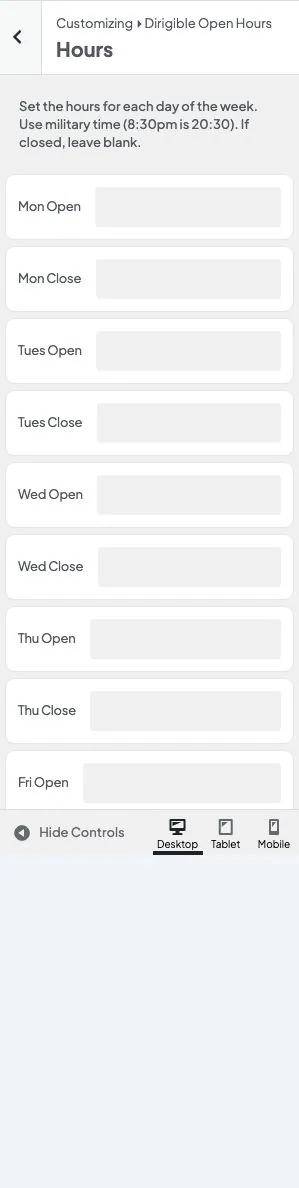
Hours is the weekly schedule. Each day has an Open and a Close field. A day is open only when both are filled.
Where to find these settings
- In the WordPress admin, go to Appearance → Customize
- Open Dirigible Open Hours
- Select Hours
Settings
Enter times in military time. 8:30 is 8:30 am. 20:30 is 8:30 pm. Leave both fields blank if you are closed that day.
The fields are always labeled Mon through Sun, even if you change Week Starts On. That setting only changes the order of the lists on the site.
Tips
- Fill both times or neither. One filled field is treated as closed.
- “Today” uses the timezone from Settings → General.
- These times are also added to the page’s structured data so search engines can show your opening hours.
Settings
Hours
Mon Open
Mon Close
Tues Open
Tues Close
Wed Open
Wed Close
Thu Open
Thu Close
Fri Open
Fri Close
Sat Open
Sat Close
Sun Open
Sun Close