

Fonts admin
What it helps you do
Choose which fonts from the Dirigible Fonts collection load on your site without uploading font files. Search the collection, add families, and adjust weights and width. Then pick each family under Appearance → Customize → Styles → Fonts.
The collection updates on its own: new families appear in the directory without a plugin update.
Where to find it
- WordPress admin → Fonts (top-level menu, paragraph icon)
- Dirigible → Welcome also links to Manage fonts when families are active
Screen layout
Active Fonts (top)
- Cards for every family currently loading on the site
- Stack — the font name and fallback the site uses for this family
- Weight and style toggles (or a variable weight slider)
- Width controls for variable families with a width axis
- Remove Font
Directory (below)
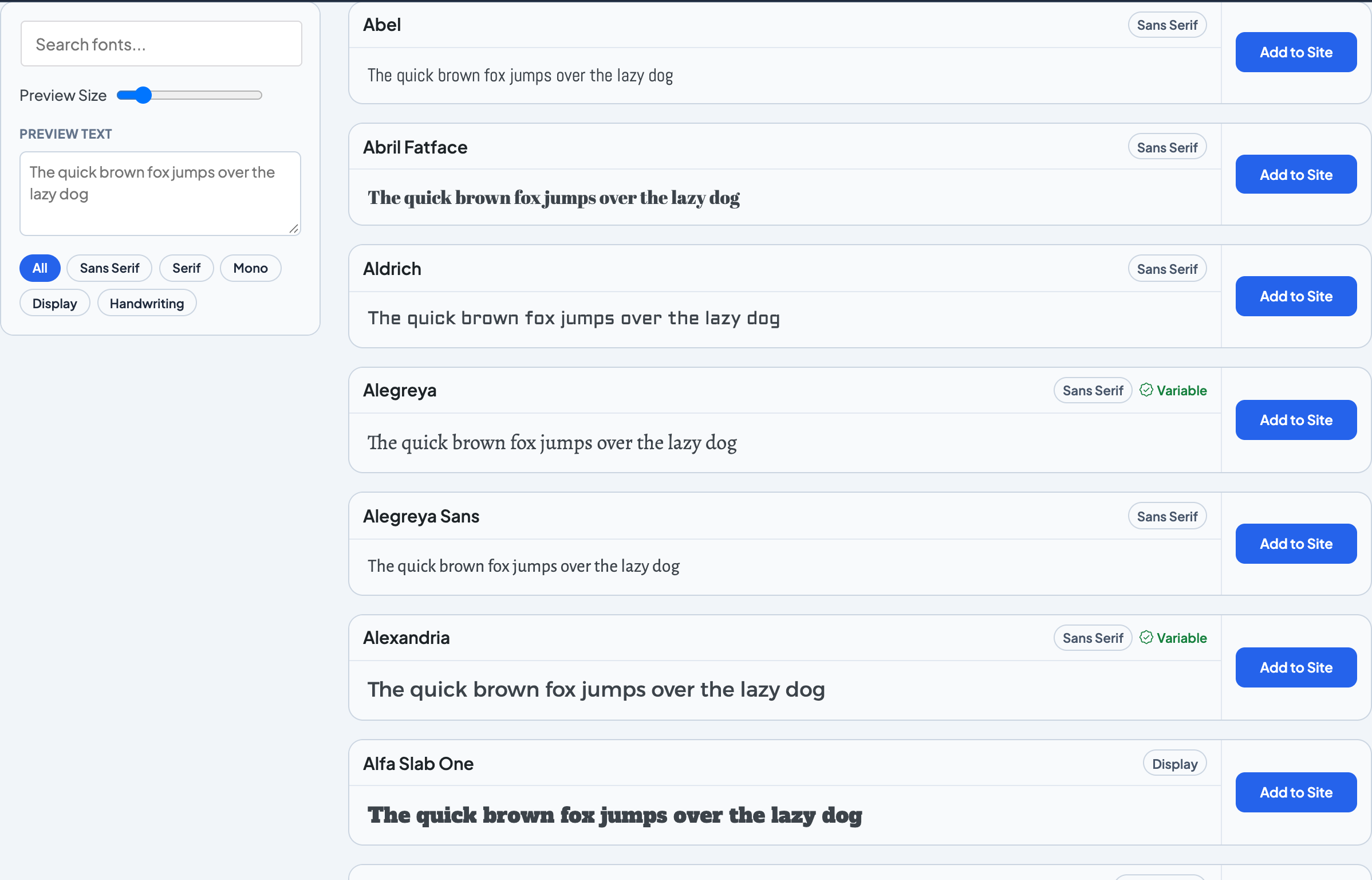
- Sidebar: search, preview size, preview text, category filters
- Grid of available families with live preview and Add to Site
- Families already active do not appear in the directory
Footer
- Total count of families in the collection
- Reminder about Requires License families
Saving
There is no Save button. Each change saves automatically and shows a short confirmation.
Related theme settings
| Where | What |
|---|---|
| Styles → Fonts | Display, Body, and Alternate stacks |
| Settings → General | Font Preload, Load Italic Early |
| Embed Fonts | Fonts from other services, such as Adobe Fonts |
See Getting started for the full activation workflow.
Screenshots
Editor
-
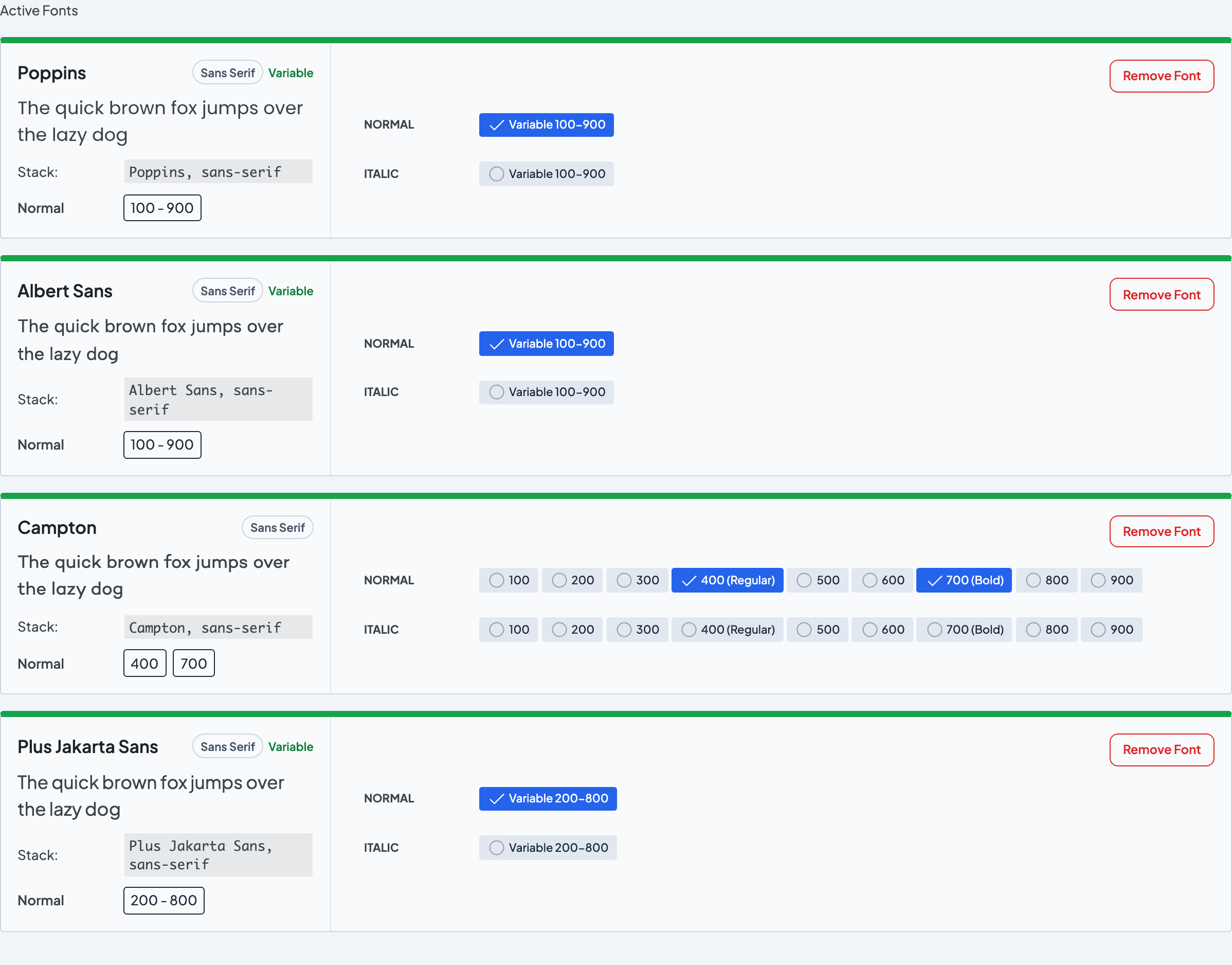
Each active font shows its stack and weight controls.
