

Embed Fonts
Usage
Open Appearance → Customize → Scripts & Embeds → Embed Fonts when you need a font that isn't in Dirigible Fonts. Paste a Google Fonts stylesheet link, with the weights you need, into Optimized Font URL.
Use Generic Font Embed when a Google Fonts link won't work, such as an Adobe Fonts (Typekit) embed code or a stylesheet from another font service.
Both fields load a stylesheet on every page, so only Administrators and Managers see this section. Other roles that can open the Customizer, such as WooCommerce's Shop Manager, can't change them.
When to use it
- Your brand uses a Google font that isn't in Dirigible Fonts yet.
- Adobe Fonts or another service gives you an embed code instead of font files.
- Making the block editor show the same web fonts as the live site.
Switch to Dirigible-hosted fonts
If every Google font on your site is also in Dirigible Fonts, the site can serve those fonts itself. Visitors' browsers then don't connect to Google, and the most important font files are preloaded. The text looks the same.
Most sites switch by themselves. In the background, Dirigible checks whether every family, weight, and style is available. When they are, it downloads the font files to your site first and only then switches, so pages never show without their fonts. The hosted files are sometimes bigger than Google's; the site still switches, because keeping visitors' browsers away from Google matters more than a few extra KB of font data. A notice in the dashboard tells you it happened and links to Undo. A caching plugin such as LiteSpeed Cache is cleared at the same moment; if your host also caches pages, purge its cache afterwards so visitors get the new pages.
You can also switch by hand:
- Open Appearance → Hosted Fonts. You can also get there from the Hosted fonts button at the top of Embed Fonts, or from the notice in the dashboard.
- Check the list. It shows each family and weight that will be added to Dirigible Fonts, and compares the download size with Google's.
- Click Use Dirigible-hosted fonts.
- A caching plugin such as LiteSpeed Cache is cleared for you. If your host also caches pages, purge its cache so visitors get the new pages. Then check a few pages.
The switch clears Optimized Font URL and removes Google Fonts links from Generic Font Embed. Anything else in Generic Font Embed, such as an Adobe Fonts link, stays. Your font stacks don't change.
To go back, open Appearance → Hosted Fonts and click Undo: go back to Google Fonts. Undo restores the Google Fonts link and your earlier Dirigible Fonts settings exactly, and clears a caching plugin again. Purge your host's cache again afterwards if it has one.
The switch isn't offered when a family, weight, or style isn't in Dirigible Fonts, or when the Dirigible Fonts version of a family looks different from Google's. The screen lists what's missing, and what the automatic switch is waiting for.
After an undo, the site never switches by itself again. You can still switch by hand.
Tips
- Use Dirigible Fonts and Styles → Fonts when the family is available there. Those fonts are hosted on your site, so visitors don't connect to another server for them.
- Include only the weights you use in the Google link. Extra weights slow every page.
- After publishing, reload the live site and the block editor to check that the font loaded.
- Don't load the same font in both fields. Pick one method per font.
Settings
Embed Fonts
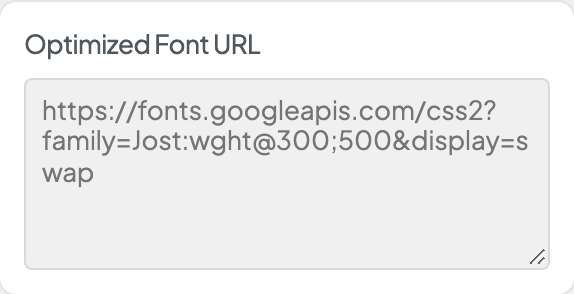
Google Fonts CSS2 stylesheet URL. The theme preloads it on every page for faster font loading.
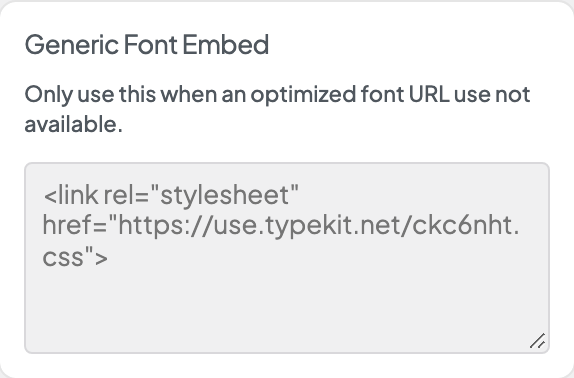
Paste a full font embed, such as a Typekit or Adobe Fonts link tag. Use this when Optimized Font URL does not cover your font provider.
