

Automatic Video Cover Images
What it helps you do
Turn uploaded videos into polished backgrounds and heroes without hunting for a separate poster image. Dirigible captures a still from the video and saves it as a normal library image you can reuse anywhere.
Where to find it
- Upload — add a video in the block editor or through Media → Add New.
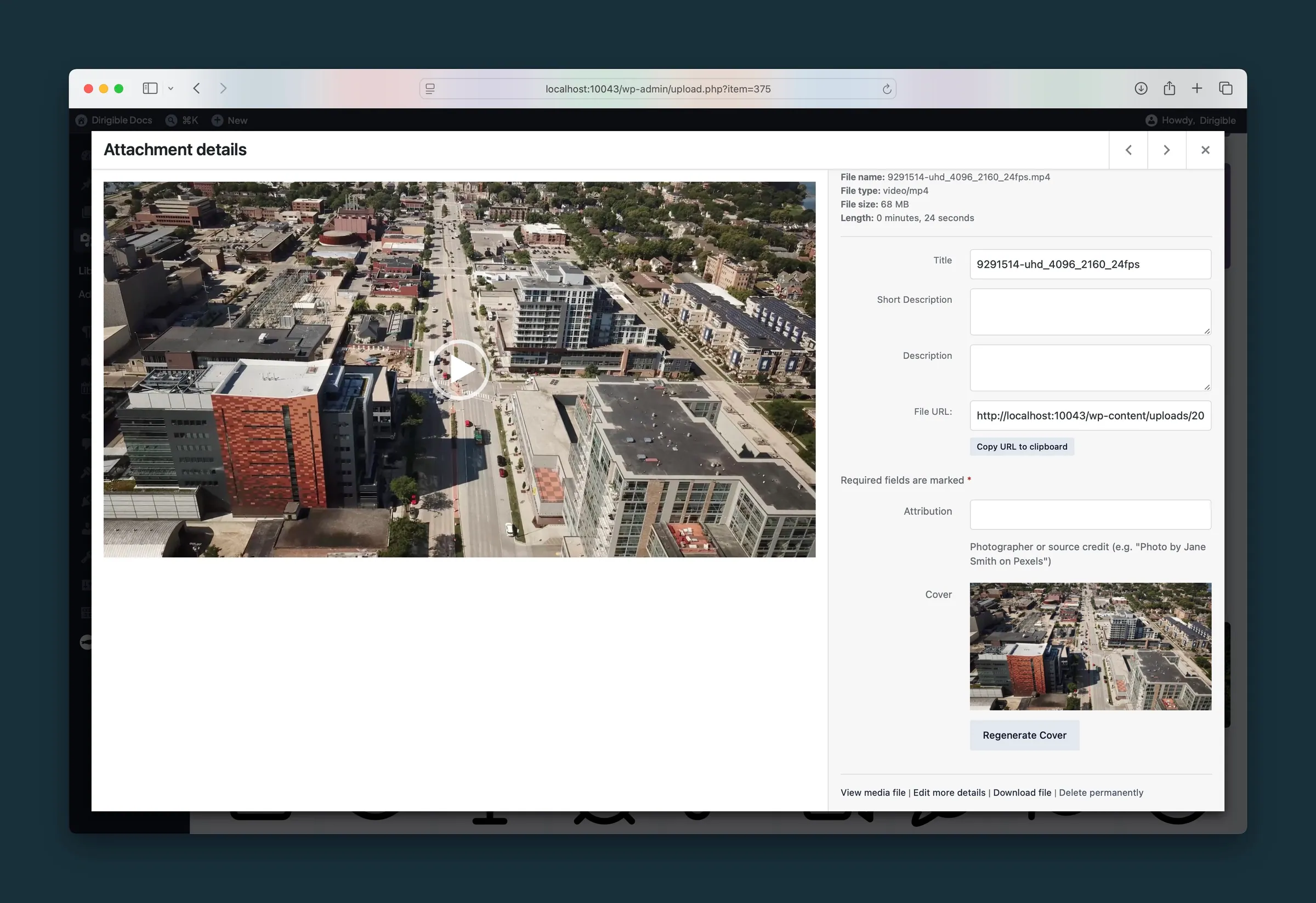
- Media Library — open a video attachment. The Cover field shows a preview when a cover exists, plus Generate Cover or Regenerate Cover.
- Attachment details — the same Cover controls appear when you edit a video in the media modal.
How to use it
New uploads
- Upload a video as you normally would.
- Wait a moment after WordPress finishes saving the file.
- Open the video in the library — you should see a generated cover attached as its featured image.
Existing videos
After a theme update, Dirigible may queue older videos that never received a cover. Keep an admin screen open while logged in; a status notice appears until the queue finishes.
Manual control
- Open the video in the media library or modal.
- Click Generate Cover (first time) or Regenerate Cover (replace the current still).
- The new JPEG becomes the video’s featured image.
What happens automatically
- Capture happens in the browser — no server-side video tools required. The still is taken from about a tenth of a second into the clip.
- The cover is saved as a JPEG in the media library (named from the video filename) and linked to the video as its featured image.
- Section, Hero, and Grid video backgrounds use that cover for the poster frame and as a mobile fallback when video cannot play.
- Regenerating removes the previous generated cover owned by that video so the library stays tidy.
- On theme update, videos without a valid cover image may be queued for one-time backfill the next time wp-admin loads.
Things to know
- The cover is a snapshot, not a live preview. Re-upload the video or click Regenerate Cover if the first frame is black or unhelpful.
- Only generated covers tied to a video are replaced when you regenerate; unrelated images in the library are left alone.
- If capture fails for a specific file (unusual codec, very large file, browser limits), check Dirigible → Flags for skipped items and try Regenerate Cover on that video.
