

In-Admin Documentation
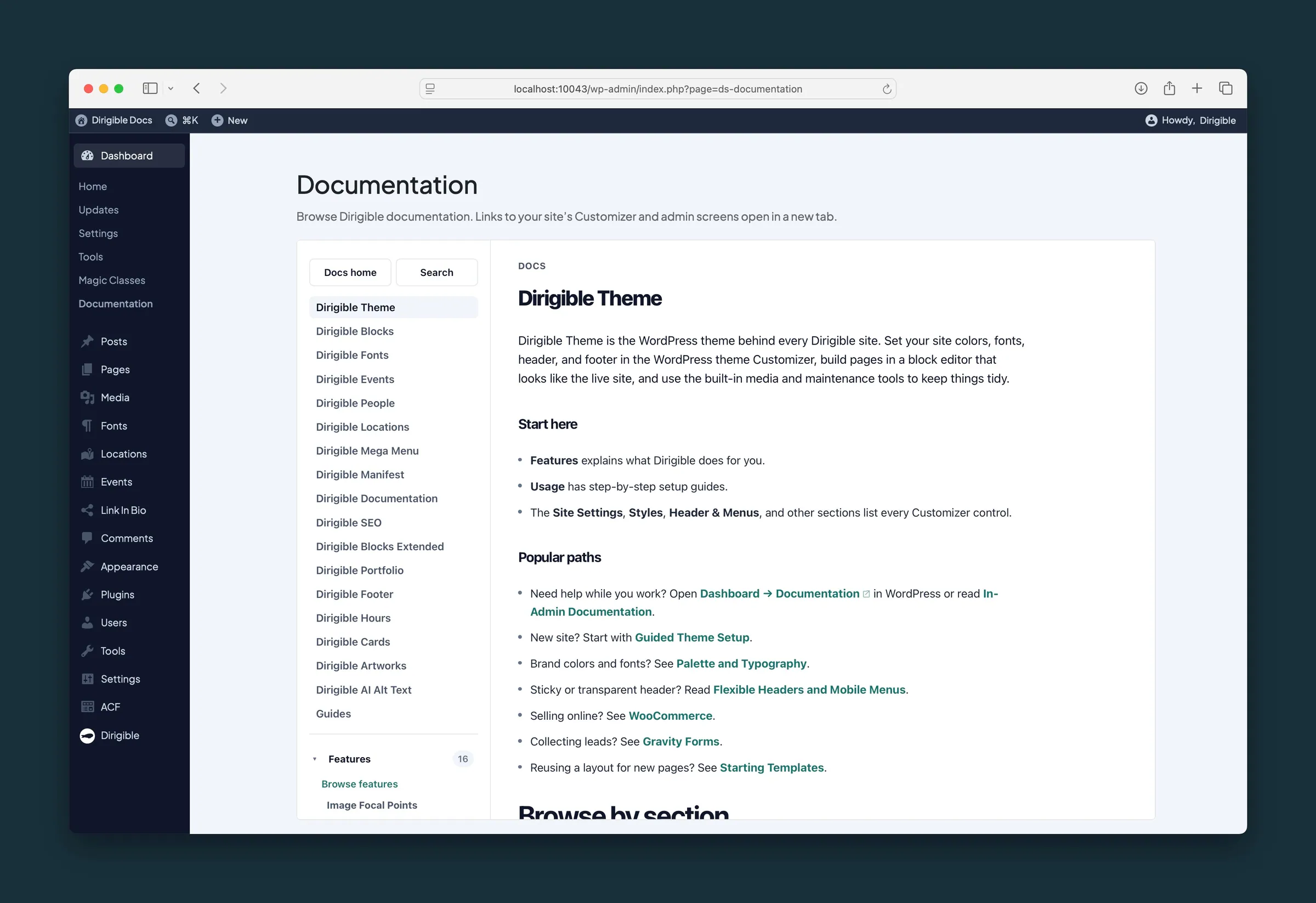
What it helps you do
Open Dashboard → Documentation to read Dirigible Support docs without leaving WordPress. When a page maps to a Customizer section, post type, or admin tool on your site, an Open button appears and launches that screen in a new tab — already scoped to your install.
When to use it
- You are editing a page and want block or Customizer guidance beside your work.
- You need to jump from a Styles doc straight into Appearance → Customize on this site.
- You prefer in-admin help over opening the public Support site in another window.
Tips
- Documentation navigation (sidebar, search, breadcrumbs, and next/previous links) stays inside the embedded viewer.
- Block docs do not show admin shortcuts — those pages are about editor settings, not a single admin screen.
- If the viewer cannot connect, use Open documentation in a new tab on the error message.
