Header 6
Usage
Open Appearance → Customize → Styles → Header 6 to set your smallest heading style. The defaults use the Alternate font, uppercase, and bold, which suits "Older Post" and "Newer Post" labels, table headings, and other small titles.
These settings apply to H6 headings and to blocks whose headline style is set to H6.
When to use it
- Blog post navigation, small archive labels, and footer column titles that shouldn't look like section headings.
- When your heading scale needs one more step below Header 5.
- Giving small text near the header the same uppercase look. The utility bar has its own size under Styles → Utility Nav.
Tips
- The theme uses H6 for post navigation labels, so changes here show up on blog posts right away.
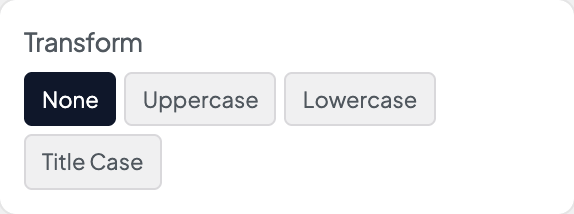
- At this size, Tracking and Transform matter more than Size for readability.
- Links inside H6 headings lighten on hover automatically. Other text links use Styles → Links or Inline Links.
- For pill-shaped filters, use Styles → Tags rather than shrinking headings further.
- Width shows when this style's font comes in several widths and is set to Full axis in Dirigible Fonts. Uncheck Default and drag the slider for a condensed (narrower) or expanded (wider) cut of the font; the slider covers only the widths the font has. Leave Default checked to keep the width the text has now.
Settings
Header 6
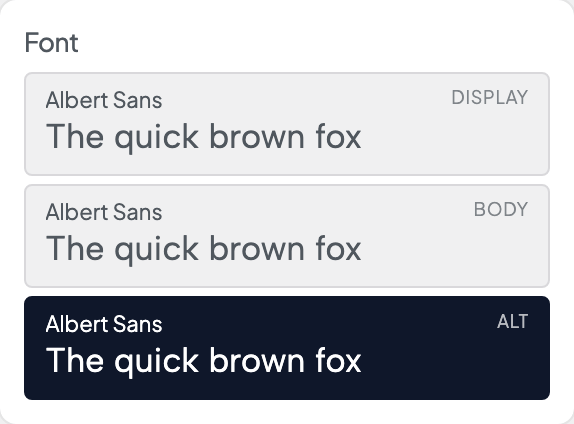
Picks which of the three stacks from Styles → Fonts this style uses. Each row shows the family behind it, with a sample set in that font.

Italic shows when the font has an italic loaded in Dirigible Fonts; with no italic, Style is hidden. A saved Italic the font doesn't load is marked, with a note.
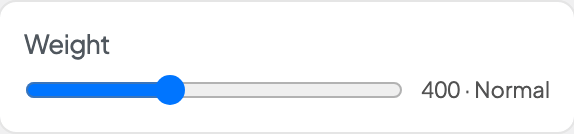
With a variable font, a slider covers the weights the font has. With other fonts, only the weights Dirigible Fonts loads show. A saved weight the font doesn't load is marked, with a note.
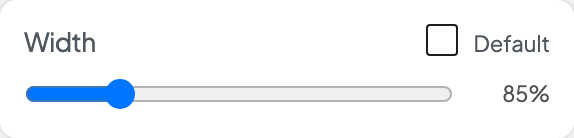
Shows when this style's font comes in several widths and is set to Full axis in Dirigible Fonts. Uncheck Default, then drag for a narrower (condensed) or wider (expanded) cut; the slider covers only the widths the font has. Default keeps the width the text has now.