

Global Styles and Live Preview
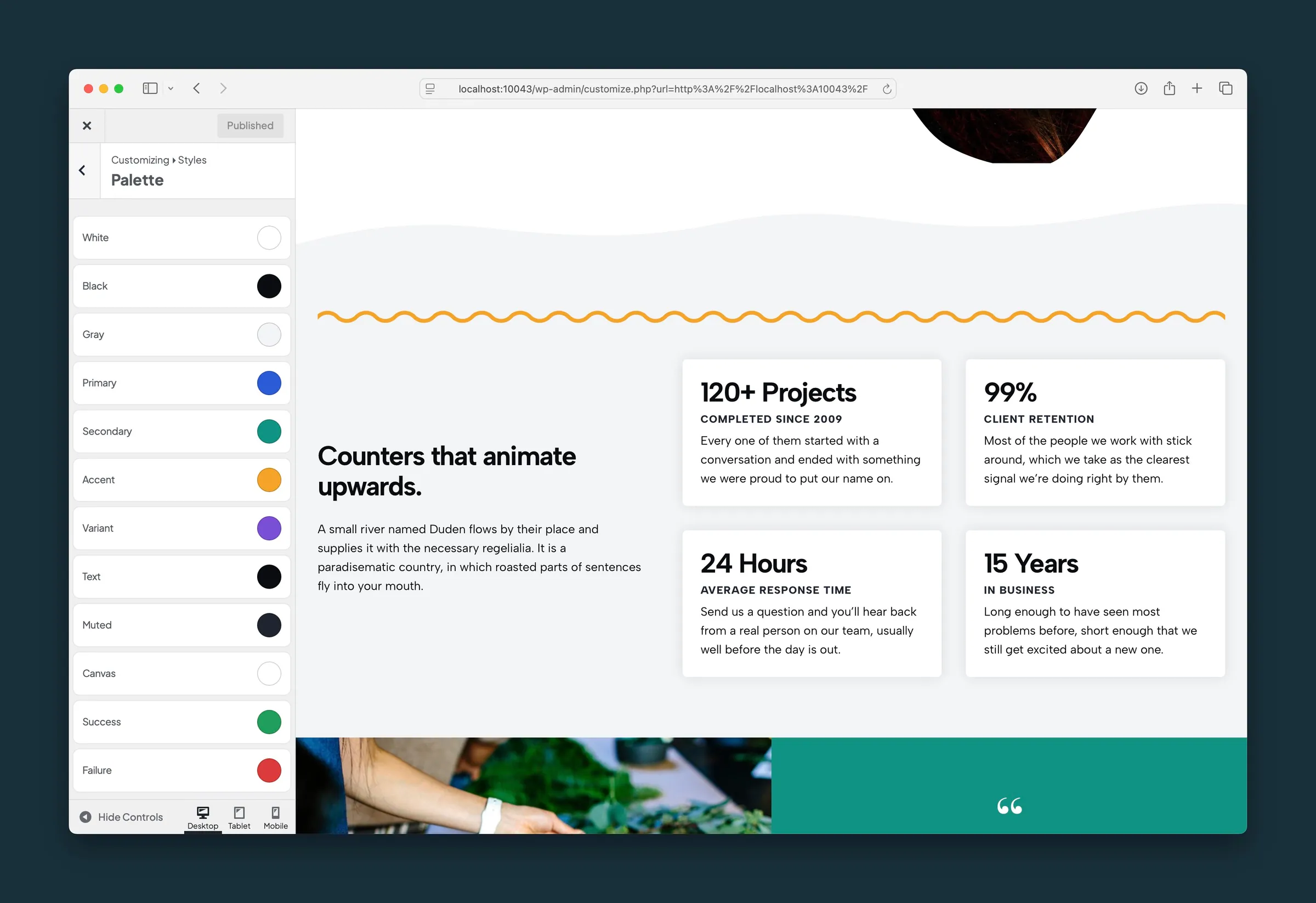
What it helps you do
Set your brand once (site colors, fonts, widths, buttons, links, and heading styles) and preview the changes before you publish. Every page uses the same styles, so blocks look consistent without custom CSS on each page.
Where to find it
- Appearance → Customize: the Dirigible panels hold the site-wide design controls.
- Styles: Palette, Fonts, Widths, Header 1 through Header 6, Paragraphs, Links, Inline Links, Buttons, Navigation, Tags, Forms, and Utility Nav.
- Settings, Header & Menus, Footer & Contact, Blog & Posts, Pop-up, and Scripts & Embeds: other site-wide settings that also preview in the Customizer.
- Additional CSS: at the bottom of the Customizer for your own CSS rules. These also apply in the block editor where they can.
How to use it
- Open Appearance → Customize.
- Start with Styles → Palette and Styles → Fonts. They change the most.
- Adjust Widths if your content should be narrower or wider than the default.
- Adjust Buttons, Links, and the heading levels to fit your brand.
- Click Publish when the preview looks right.
Use the device icons at the bottom of the Customizer to preview tablet and mobile.
What happens automatically
- Your saved styles apply to both the live site and the block editor, so colors, fonts, and text sizes match.
- Fonts from Dirigible Fonts load automatically.
- Fonts added under Scripts & Embeds → Embed Fonts also load in the block editor.
- Additional CSS from the Customizer also applies inside the editor.
Things to know
- The Customizer preview is the quickest way to judge site-wide changes. Individual blocks may still have their own sidebar settings.
- Some Additional CSS rules work on the live site but not in the editor when the block markup differs. Check both if you rely on custom CSS.
- Palette and font changes affect many blocks at once. Publish at a quiet moment if you're in the middle of editing important pages.
- Switching to a different child theme keeps your Dirigible settings.
