

Trim Blank Edges
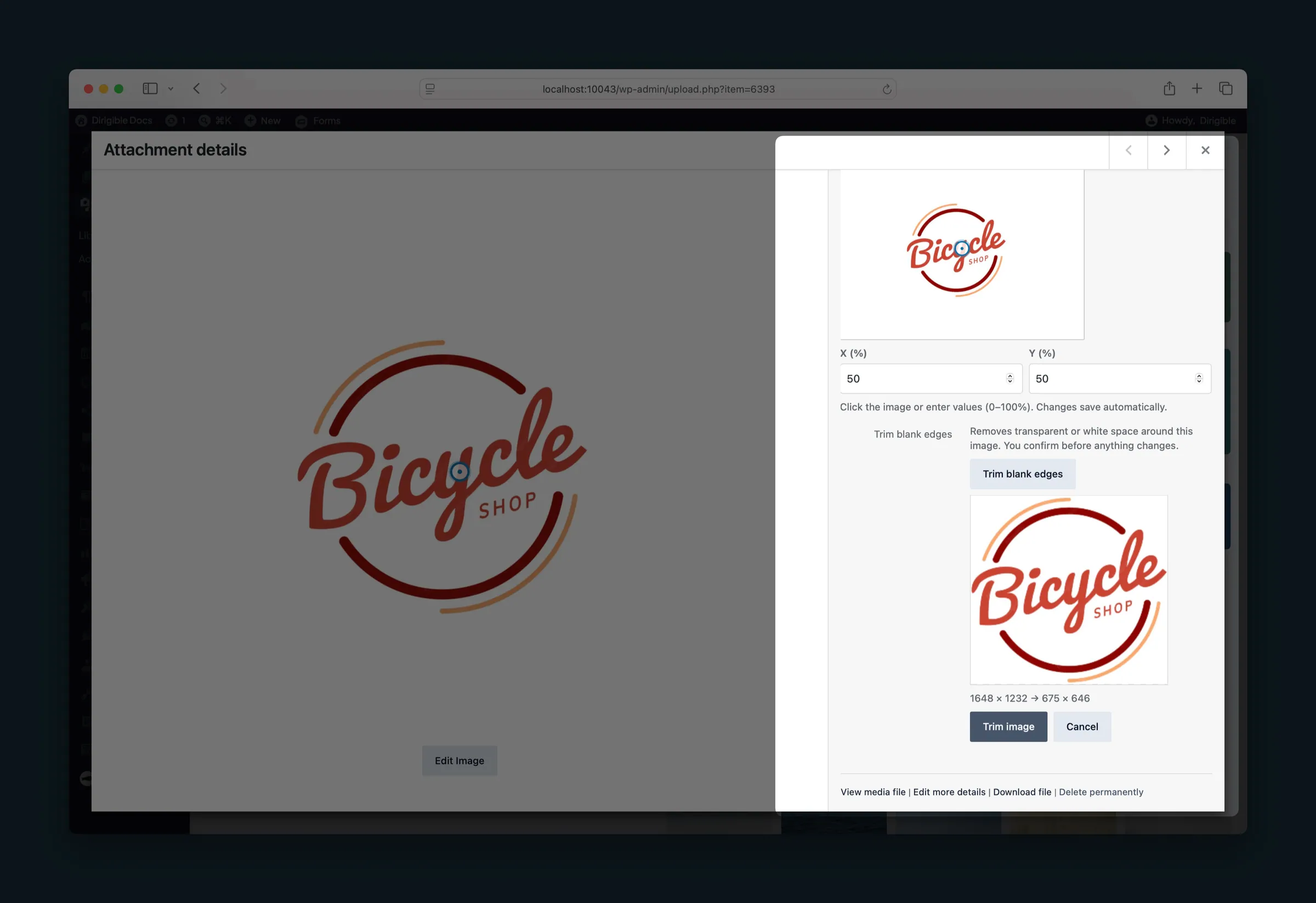
What it helps you do
Crop the empty margin off a logo, icon, signature, or product cutout without leaving the media library. The image stays the same library item, so its alt text, caption, and focal point stay with it.
Where to find it
Trim blank edges appears on JPEG, PNG, WebP, and AVIF images:
- Media Library — open an image in the grid. The field is in the attachment details sidebar.
- Select Media — choose an image. The same field is in Attachment Details.
- Edit more details — open the full attachment screen from the media library or a media window.
SVG and GIF images do not show the control.
How to use it
- Open the image in any of the places above.
- Click Trim blank edges.
- Review the preview and the size change, such as 1200 × 800 → 980 × 640.
- Click Trim image. Cancel leaves the file unchanged.
Nothing is trimmed when you upload. The check runs only after you click the button.
Restore the original
After a trim, Restore original appears on that image.
- Click Restore original.
- Confirm. This returns the file from before the first trim, including a second trim made later.
What happens automatically
- Dirigible rebuilds the image sizes from the trimmed file.
- Alt text, caption, description, attribution, and focal point stay on the same image.
- If there is no blank edge, or trimming would leave only a sliver of the image, the file is left as it is.
Things to know
- Edges that can be removed are transparent padding, or near-white padding that touches the outside of the image. A white object inside the graphic is left alone.
- JPEG files have no transparency, so only near-white edges are considered. PNG, WebP, and AVIF can use transparency, and fall back to near-white edges when the outside is solid white.
- A page that already saved an older copy of the file can keep showing that copy. Select the image again in that block when you want the trimmed file.
- New placements, and blocks that load the image from the media library, use the trimmed file.
