

Privacy-Conscious Analytics Loading
What it helps you do
Add Google Analytics, Tag Manager, Facebook Pixel, and other tracking from one place. Tracking loads after the page so it doesn't slow visitors down, and a cookie banner can hold it back until visitors agree.
Where to find it
- Dashboard → Tracking & Privacy
- Analytics & Tracking — provider IDs, load strategy, WooCommerce ecommerce options.
- GDPR Banner — turn the banner on, Track Until Declined, Load Pasted Tracking Only After Consent, Ask Everyone Again.
- Custom Embeds — code pasted on every page.
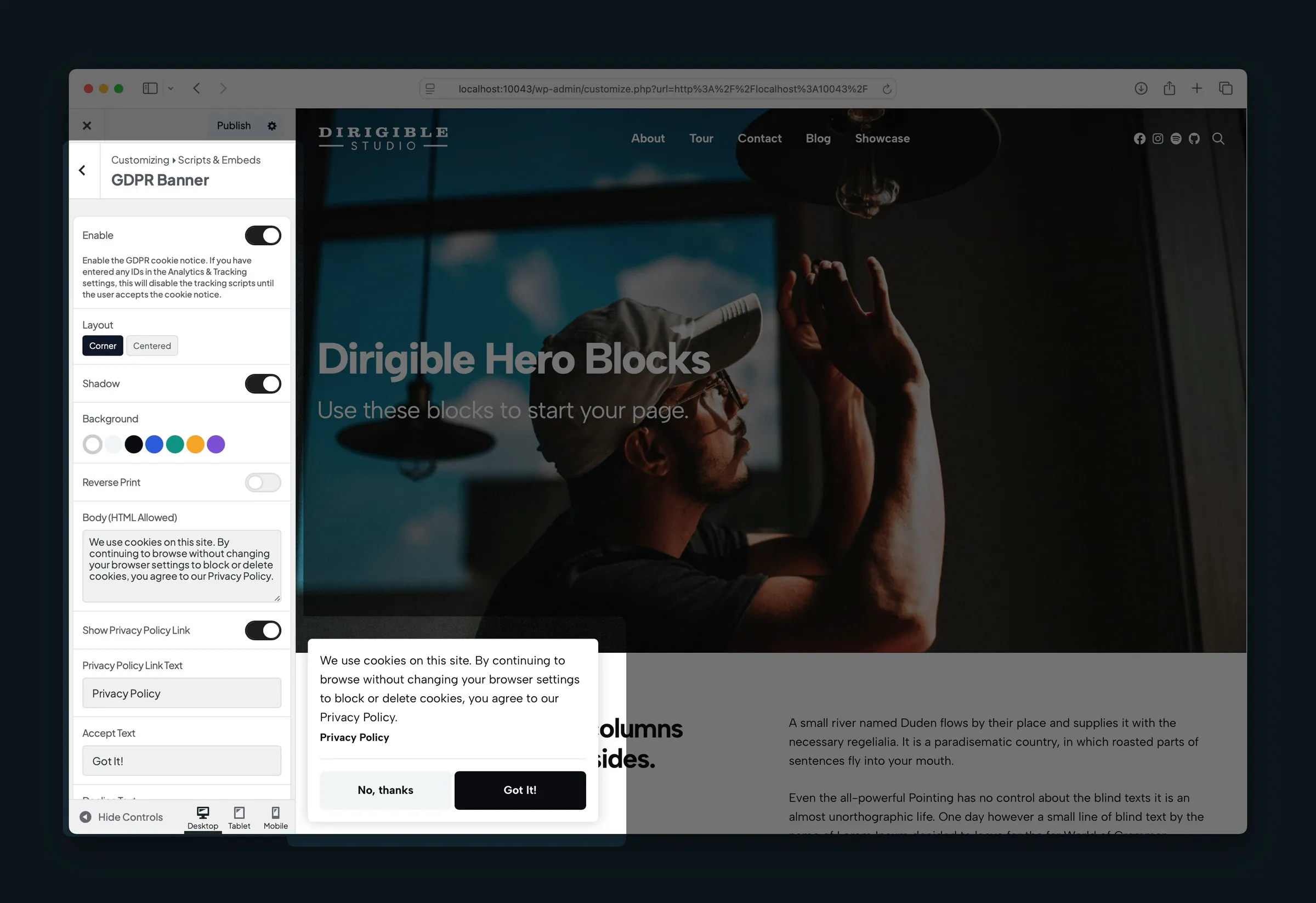
- Appearance → Customize → Scripts & Embeds → GDPR Banner — the banner's layout, colours and message text.
- Scripts, Privacy, and Performance usage guide — workflow for pairing tracking with the banner.
Supported ID fields include Google Analytics & Ads IDs (several Google tag IDs, comma separated), Google Tag Manager ID, Facebook Pixel ID, LinkedIn Partner ID, StackAdapt ID, Hotjar ID, HubSpot Portal ID (with HubSpot Region), and Piwik PRO Account Address with Piwik PRO Container ID, plus verification fields for Google and Facebook.
How to use it
- Open Dashboard → Tracking & Privacy.
- Enter IDs only for the services you use — leave the rest blank.
- Leave Tracking Load Strategy on First Interaction (default) so a visitor's first page waits for a click, scroll, keypress or mouse move (or 5 seconds after the page loads) unless they came from search, another site or an ad. Choose After Page Load to start tracking as soon as every page loads.
- To ask for consent, turn Enable on under GDPR Banner.
- Click Save Settings. To change the banner's message and look, open Customize → Scripts & Embeds → GDPR Banner.
- Visit the site in a private window, accept or decline the banner, and confirm tags fire in your analytics debugger when expected.
Turn off Track Admin Sessions in production so your own browsing is not counted while logged in.
What happens automatically
- Tracking scripts load in the background so they don't hold up the page.
- They start at the point you chose (After Page Load or First Interaction). Clicks and purchases are still recorded once tracking is allowed.
- When the GDPR Banner is on, tracking stays off until the visitor accepts.
- With the banner on, Google Analytics, Google Ads and Tag Manager also get Google Consent Mode v2 signals automatically, so Google knows what each visitor agreed to. See Google Consent Mode.
- Logged-in administrators are excluded from tracking unless Track Admin Sessions is on.
- With Enhanced Ecommerce Tracking enabled and WooCommerce active, completed orders can send purchase events to Google Analytics or Tag Manager.
Things to know
- The GDPR banner controls the tracking you add in Analytics & Tracking. Code pasted into Custom Embeds loads for everyone, banner or not, unless Load Pasted Tracking Only After Consent is on, so use an ID field when there is one. If you move HubSpot or Piwik PRO from pasted code to its field, remove the pasted code too, or visits are counted twice. It doesn't replace legal advice for your region or industry.
- If a visitor declines, those tracking scripts don't load. If they accept, tracking loads using the strategy you chose.
- While the banner is on, the no-JavaScript fallbacks for Tag Manager and Facebook Pixel are left out: visitors without JavaScript can't accept the banner.
- Staging and local copies of a site can have analytics turned off by your host. Ask your developer if tags should be off outside the live site.
- Ecommerce Debug Mode logs events to the browser console for testing; turn it off on live sites.
- To check what tracking does on a page, add
?ds_tracking_debug=1to the end of its address. The browser console then shows the consent check and which scripts load. Visitors never see this. - Changing banner text or tracking IDs after a policy update may require visitors to choose again — tick Ask Everyone Again on Tracking & Privacy to show everyone the banner again.
