

Gravity Forms
Usage
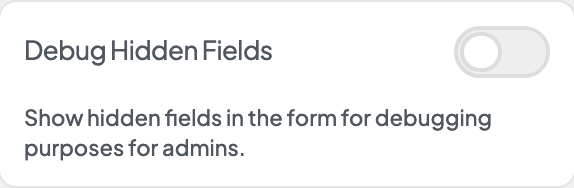
Open Appearance → Customize → Settings → Gravity Forms when the Gravity Forms plugin is active. Form Submission Limit caps how many times one visitor (by IP address) can submit forms in an hour. Debug Hidden Fields shows hidden form fields to logged-in admins while you troubleshoot. Block Tor Submissions turns away form submissions sent through the Tor network. Allow Form Post Creation lets forms create posts from their entries and adds Gravity Forms' Post Fields group back to the form editor.
These settings apply to every Gravity Form on the site, not one form at a time.
When to use it
- Contact or lead forms that attract spam. Lower the hourly limit before adding a CAPTCHA.
- Busy campaigns where you want protection against automated bursts of submissions.
- Checking hidden or conditional fields that aren't behaving as expected.
- A flood of spam from addresses that change on every submission, which is often the Tor network. Turn on Block Tor Submissions while it lasts; some legitimate visitors use Tor for privacy, so turn it off again afterwards.
- A form that should publish what visitors send as posts, such as a story or testimonial submission form. Turn on Allow Form Post Creation so the form creates posts and you can add Post Fields to it.
Tips
- When a visitor hits the limit, they see a fixed message asking them to try again in an hour.
- Only admins see hidden fields with Debug Hidden Fields. Turn it off when you're done testing.
- To check one form page without the setting, add
?ds_form_debug=1to its address. It works for anyone, including logged-out visitors, and only shows them their own values, so you can check a live form (for example from a campaign link) without logging in. - Pop-up, footer newsletter, and page forms all count toward the same limit.
- Block Tor Submissions quietly drops a Tor submission after showing the visitor the usual confirmation. The list of Tor addresses refreshes itself once a day; if it cannot be refreshed for a few days, submissions go through again until it can.
- Post Fields (Title, Body, Excerpt, Tags, Category, Post Image, Custom Field) are hidden while Allow Form Post Creation is off, and forms that already have them create no posts. Their entries are still saved with every answer, and notifications and confirmations work as usual. For an ordinary message, use a Paragraph Text field, not Body or Custom Field.
- With Allow Form Post Creation on, any one of those fields makes every entry also create a post under Posts (a draft, unless the form's Post Status setting says otherwise).
- Allow Form Post Creation stays off unless you turn it on, including on sites whose forms used to create posts. Turn it on only when a form should publish what visitors send as posts.
- If the settings seem to do nothing, check that Gravity Forms is installed and active.
Settings
Gravity Forms
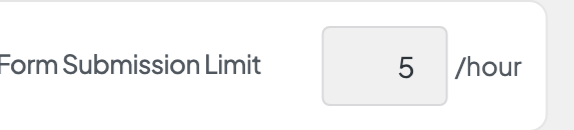
Form Submission Limit

Block Tor Submissions
Turn away form submissions sent through the Tor network. Some legitimate visitors use Tor for privacy; turn this on only while a site is being flooded.

Allow Form Post Creation
