

GDPR Banner
Usage
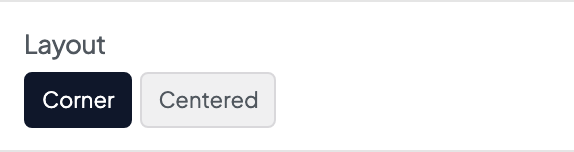
Turn the banner on in Dashboard → Tracking & Privacy: switch on Enable under GDPR Banner when visitors must agree before tracking runs. Track Until Declined and Load Pasted Tracking Only After Consent are there too. The banner's look and wording stay in Appearance → Customize → Scripts & Embeds → GDPR Banner, where you see it as you edit: set the Layout, Background, Reverse Print, and Shadow to match your site.
If Custom Embeds already holds tracking when you turn the banner on, the page asks whether to move it to Tracking settings (so it follows the banner), load it only after consent, or leave it for now. The banner turns on whichever you choose.
Use Suggested Text is on by default. The banner then uses ready-made wording for each situation: a short question for visitors who are asked first, and a notice for US visitors (see below). Turn it off to write your own. The text fields only appear while it's off. Sites that already had their own banner wording keep it, with Use Suggested Text off.
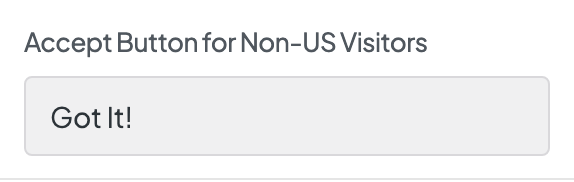
The wording sits together at the end of the panel, in pairs: each field for US visitors sits next to its version for everyone else. Write the cookie notice in Message for Non-US Visitors. Set the Accept Button for Non-US Visitors and, optionally, the Decline Button for Non-US Visitors. If that decline button is empty, only the accept button shows, for everyone. Leave Show Privacy Policy Link on and edit Privacy Policy Link Text to link to your privacy policy.
Let visitors change their answer
When the banner has a Decline Button for Non-US Visitors button, visitors must be able to change their answer later. Add a link to #cookie-settings, usually in the footer menu: under Appearance → Menus, add a Custom Link with the URL #cookie-settings and a label like Cookie settings. A link to #cookie-settings in a footer, a button, or any page content works the same way.
Clicking it reopens the banner, and pressing Escape closes it again without changing the visitor's answer. Choosing Decline after accepting turns tracking off again: the page reloads without it, and the cookies left by the tracking set up in Analytics & Tracking (Google, Meta, LinkedIn, StackAdapt, Hotjar, HubSpot, Piwik PRO) and by Dirigible Analytics are removed. Tags added inside a Google Tag Manager container stop with it, but any cookies they left stay until the visitor clears them, and cookies that other sites set (for example on facebook.com) can only be removed by the visitor in their browser. Code pasted in Custom Embeds doesn't go through the banner, unless Load Pasted Tracking Only After Consent is on (below).
Until the site has a Cookie settings link, Administrators see a reminder in the corner of wp-admin.
Leave Decline Button for Non-US Visitors empty only on sites that don't need consent, such as sites for US visitors only. The banner then shows just the accept button, and a #cookie-settings link does nothing. Track Until Declined (on by default) already tracks US visitors until they opt out, so most sites can keep a Decline Button for Non-US Visitors.
Track until declined (US visitors)
Track Until Declined is on by default. It lets US visitors be tracked until they opt out, while everyone else is still asked first. This matters most for sites that run Google Ads and need every enquiry credited to the right campaign.
With it on:
- Visitors whose device is set to a US time zone are tracked from their first page view, without waiting for a click. They see Message for US Visitors instead of Message for Non-US Visitors, with Got it and Opt out on the buttons. With Use Suggested Text off, edit them in Message for US Visitors, Accept Button for US Visitors and Decline Button for US Visitors.
- Everyone else, including visitors in the EU and UK, sees the banner as usual and isn't tracked until they accept. So does anyone whose time zone can't be read.
- Time zone is a good guess, not proof of location. A US visitor travelling abroad, or a device set to the wrong time zone, can end up on the other side. When in doubt, the visitor is asked first.
- Opt out turns tracking off and removes its cookies, as described above. The
#cookie-settingslink works the same way, so visitors can opt out at any time. - Visitors whose browser sends a Global Privacy Control signal are treated as having opted out, on every visit, even if they accepted before. They don't see the banner. If they open your Cookie settings link, the banner explains that their browser's privacy signal is on and offers Turn tracking on for that site.
Track Until Declined needs a Decline Button for Non-US Visitors. With no Decline button, visitors would have no way to opt out, so the setting does nothing.
To ask every visitor first instead, turn off Track Until Declined on Dashboard → Tracking & Privacy. Every visitor is then asked again, including those already being tracked.
PageSpeed Insights tests from the US, so with Track Until Declined on, it's treated like any visitor on a site without a banner. With Tracking Load Strategy on First Interaction (the default), that keeps your tags out of its score. On After Page Load, the score includes them. Visitors don't notice a difference either way: tracking starts after the page has loaded.
If California's privacy law (CCPA) applies to the site, label the Cookie settings link Your Privacy Choices or Do Not Sell or Share My Personal Information. The link text is up to you; the link still points to #cookie-settings.
Turn off Track Until Declined on these sites, even if their visitors are in the US. They need consent before tracking:
- Health and medical sites, such as pharmacies, therapists, recovery programs, immunization services and med spas.
- Sites aimed at children or teens.
- Universities, schools and public bodies.
Whether Track Until Declined fits a site is the client's decision, made with their own legal counsel.
Track US visitors only
For a site that must stay out of GDPR altogether, turn on Track US Visitors Only on Dashboard → Tracking & Privacy (it shows under Track Until Declined, and works only while that's on). Most sites should leave it off.
With it on:
- Visitors are tracked only when Dirigible confirms they're in the US. Their first page of the day checks their location once, then tracking starts as with Track Until Declined: the US notice with Got it and Opt out.
- Visitors outside the US, and anyone whose location can't be confirmed, are never tracked, even if they'd click Allow. They don't see the banner, and nothing is stored on their device. A Cookie settings link shows them one line: Tracking is off in your region.
- Visitors whose device isn't set to a US time zone aren't checked at all. A US-time-zone visitor whose check fails or is blocked isn't tracked on that page; the next page checks again.
- Opt out and Global Privacy Control work as with Track Until Declined.
- Turning it on asks everyone again (as Ask Everyone Again does), so earlier answers, such as an Allow clicked in the EU, no longer count.
- Dirigible Analytics (in Dirigible Optimize) follows it too: visitors outside the US aren't counted, not even anonymously.
What it costs: the site loses all analytics for visitors outside the US, and it can't be estimated back. A US visitor's first page of the day starts tracking a moment later, after the location check, so very short visits can go uncounted.
It covers the tags in Analytics & Tracking (including Google Tag Manager), Dirigible Analytics, form campaign fields and Locations maps. Tracking pasted in Custom Embeds follows it only with Load Pasted Tracking Only After Consent on; turning Track US Visitors Only on asks about pasted tracking it finds. Pasted code Dirigible doesn't recognise as tracking isn't covered. In Google Tag Manager, check that the container's tags respect consent (Custom HTML tags especially), and update the site's privacy policy to say it doesn't track visitors outside the US.
After turning it on or off, purge your site's cache: until you do, pages cached before still track visitors outside the US.
The location comes from the site's host (Cloudflare, which every Rocket.net site is behind). On a site that isn't behind Cloudflare, no visitor can be confirmed, so nobody is tracked.
Pasted tracking and the banner
Tracking pasted into Custom Embeds loads for every visitor, whatever they answer. To make it wait too, turn on Load Pasted Tracking Only After Consent on Dashboard → Tracking & Privacy (it shows while the banner is on). Pasted code Dirigible recognises as tracking (Google tags, Meta Pixel, LinkedIn, TikTok, Microsoft Clarity, Pinterest, Reddit, Snap, X, Microsoft Ads, Hotjar, HubSpot, Piwik PRO and similar) then loads only for visitors who accepted, on the same rules as Analytics & Tracking. Chat, scheduling and accessibility widgets and other pasted code keep loading for everyone. The pasted code itself isn't changed. Code that writes into the page as it loads (very old Google Analytics code, for example) can't wait and keeps loading for everyone; the page tells you when it finds some. This needs the site on HTTPS (an address starting https://): without it, held-back tracking never loads. After switching it on or off, purge your site's cache so cached pages update.
Where a service has its own field under Analytics & Tracking, moving it there is still better: it then loads after the page as well.
Ask everyone again
Visitors' answers are remembered for a year. After changing what the site tracks, tick Ask Everyone Again on Dashboard → Tracking & Privacy and save: every visitor sees the banner again. Saving also clears a caching plugin such as LiteSpeed Cache, so its cached pages ask too. If your host caches pages too, purge its cache as well: pages the host already cached don't ask again until then.
Google Consent Mode
While the banner is on, the site sends Google Consent Mode v2 signals automatically. Nothing needs setting up. It covers the Google Analytics & Ads IDs and Google Tag Manager ID in Analytics & Tracking: before a visitor chooses, Google is told that ads and analytics cookies aren't allowed. When they accept (or are tracked until they decline), Google is told they are. Choosing Decline tells Google they aren't again.
Your tags load at the same moment as before, for the same visitors. Google Ads and Analytics now also receive the visitor's answer, which Google needs for remarketing and conversion measurement of visitors in the EU and UK. Inside a Tag Manager container, tags that check consent see the visitor's answer too.
The signals are sent when every Google tag on the site waits for consent: the IDs in Analytics & Tracking, and Google code pasted into Custom Embeds while Load Pasted Tracking Only After Consent is on. If a pasted Google tag loads for everyone, or a plugin such as Site Kit adds one, the site doesn't send them. If you paste your own consent code (a consent default command, or a consent tool such as Cookiebot), the site sends only the visitor's answer and leaves the starting state to your code.
When to use it
- Sites with visitors in the EU, UK, or other regions where cookie consent is required before analytics and ads load.
- Any site whose Analytics & Tracking IDs should wait for the visitor to accept.
- Replacing a separate cookie consent plugin with the built-in cookie banner.
Tips
- While the banner is on, tracking from Analytics & Tracking stays off until the visitor accepts. With Track Until Declined on (the default), visitors in US time zones are the exception.
- Corner is compact; Centered gets more attention on the first visit.
- Make both messages clear so visitors know what they're agreeing to.
- Test in a private window after publishing. A visitor's choice is remembered in their browser for a year, or until they change it with the Cookie settings link.
Settings
GDPR Banner

Enable the GDPR cookie notice. If you have entered any IDs in the Analytics & Tracking settings, this will disable the tracking scripts until the user accepts the cookie notice.





Visitors whose device is set to a US time zone are tracked from their first page view and see the notice text, with a button to opt out. Everyone else, including the EU and UK, is asked first. Time zone is a good guess, not proof of location. Browsers that send Global Privacy Control are never tracked. Needs a Decline button. Turn it off to ask every visitor first.
Visitors outside the US, or whose location can’t be confirmed, are never tracked and don’t see the banner. Use this when the site must stay out of GDPR. Most sites should leave it off.
Pasted tracking in Custom Embeds (Meta Pixel, TikTok, Microsoft Clarity, Google tags and other tracking Dirigible recognises) waits until the visitor accepts, like the IDs in Analytics & Tracking. Chat, accessibility and other pasted code still loads for everyone. Off by default. On Dashboard → Tracking & Privacy. Needs the site on HTTPS: without it, held-back tracking never loads.

Use default wording: a question for visitors who are asked first, and a notice for US visitors tracked until they opt out. Turn off to write your own; the text fields appear below.
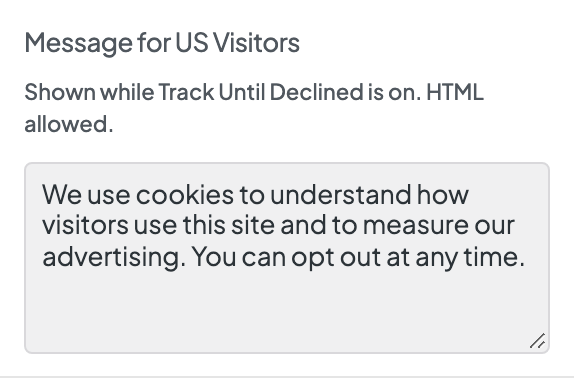
Shown while Track Until Declined is on. HTML allowed.
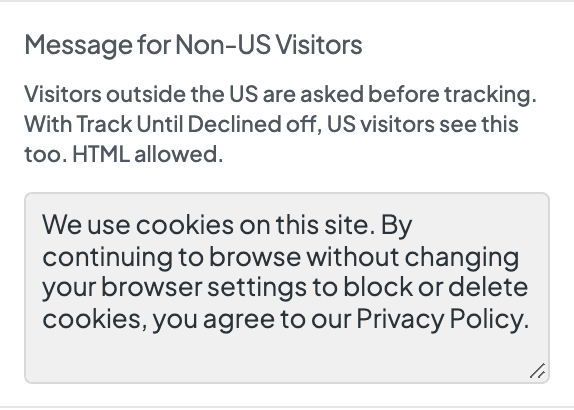
Visitors outside the US are asked before tracking. With Track Until Declined off, US visitors see this too. HTML allowed.
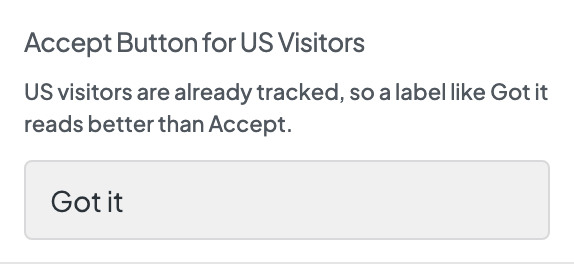
US visitors are already tracked, so a label like Got it reads better than Accept.
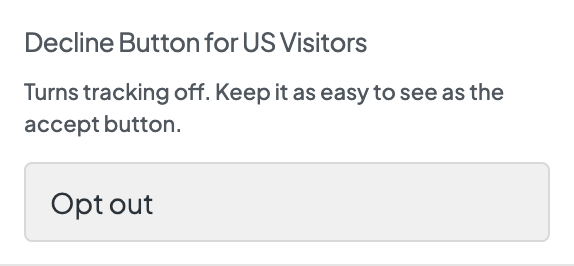
Turns tracking off. Keep it as easy to see as the accept button.
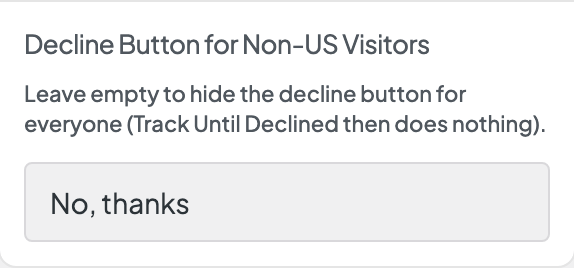
Leave empty to hide the decline button for everyone (Track Until Declined then does nothing). Leave it empty only on sites that don't need consent: visitors can then only accept, and a Cookie settings link doesn't reopen the banner.
