

Magic Classes and Scroll Animations
What it helps you do
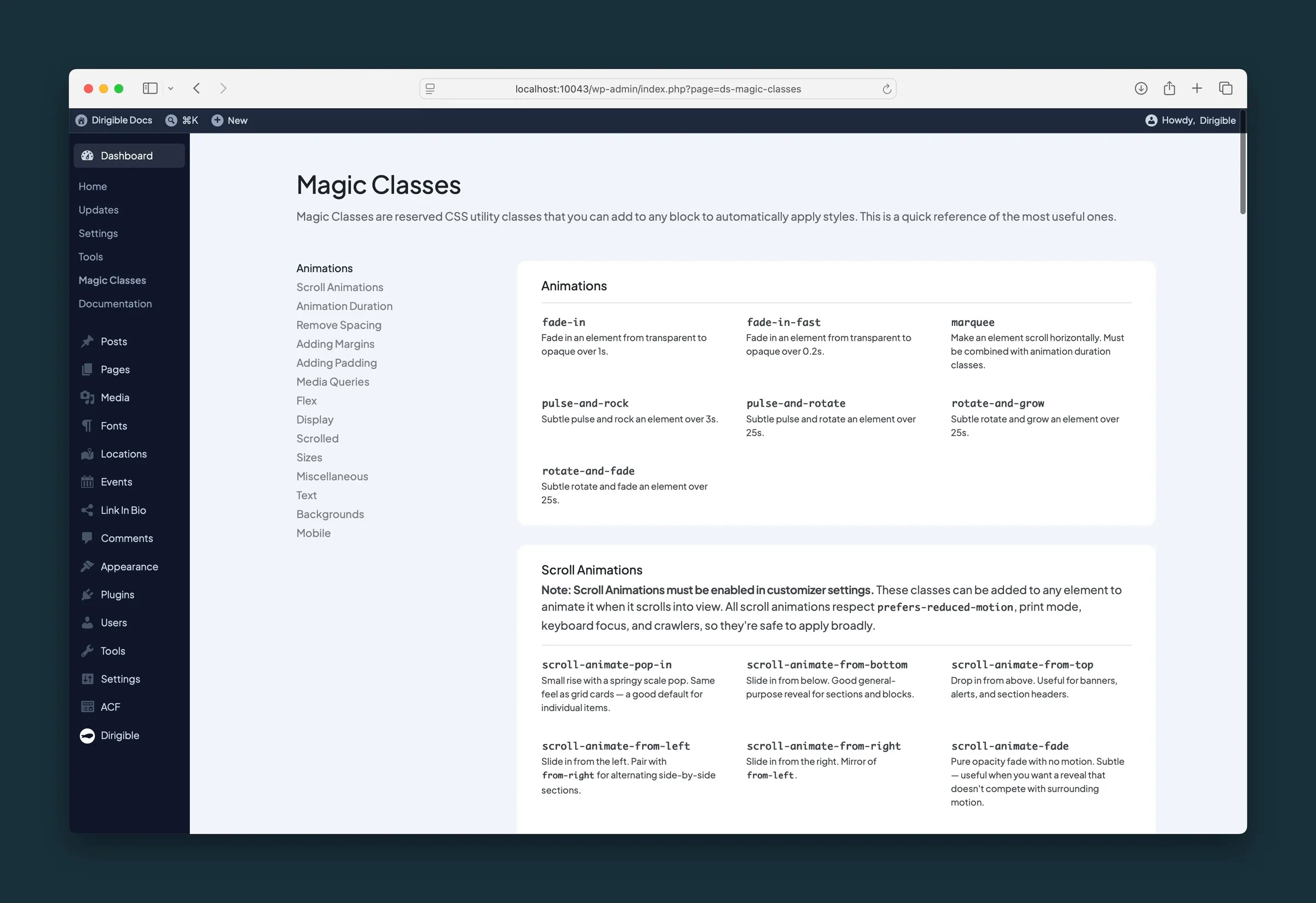
Add spacing, layout tweaks, entrance effects, and scroll animations by typing a class name on a block. No custom CSS needed. Scroll animation classes make sections fade or slide in as visitors move down the page.
Where to find it
- CSS Utility Classes — full reference grouped by category (Spacing, Layout, Animation, and more).
- Dashboard → Magic Classes — quick in-dashboard list of the most common classes.
- Block editor — select a block, open Settings (sidebar) → Advanced → Additional CSS class(es).
- Appearance → Customize → Settings → Animations — Animations sets how much motion the whole site uses: Standard, Subtle or Off.
How to use it
- Select the block you want to style.
- In the sidebar, expand Advanced and find Additional CSS class(es).
- Type one or more Magic Class names separated by spaces (for example,
scroll-animate-from-bottomormt-2 mb-4). - Preview the page on the front end — scroll animations fire when the element enters the viewport.
Scroll animations (popular choices)
| Class | Effect |
|---|---|
scroll-animate-pop-in |
Small rise with a springy scale — good default for cards |
scroll-animate-from-bottom |
Slide up — general sections |
scroll-animate-fade |
Opacity only — subtle reveal |
scroll-animate-children |
Stagger animation across direct children (great for grids) |
Combine with duration classes such as animate-2s or animate-5s when you want slower motion.
What happens automatically
- Load animation classes (such as
fade-in) run when the page loads. - Scroll classes run when the element scrolls into view if Animations is on.
- With Animations on, some blocks animate without any class. Grid cards, Step by Step steps, and Quote Group quotes pop in one after another, in reading order.
- Scroll animations stay off for visitors who have asked their device to reduce motion, and when printing or being read by search engines. Anything a keyboard user tabs to shows at once.
- The Magic Classes reference page always lists the classes the current theme version includes.
Things to know
- Scroll animation classes do nothing while Animations is Off in the Customizer.
- Too many animated blocks on one page can feel busy — start with section wrappers, not every paragraph.
scroll-animate-childrenapplies to direct children only.- Magic Classes are for layout and motion utilities — they do not replace block sidebar settings for colors, links, or typography.
- Class names are exact — copy them from CSS Utility Classes or Dashboard → Magic Classes to avoid typos.
