

AI tools and llms.txt
Overview
The AI & llms.txt tab has two parts. AI tools decides what AI companies' crawlers may do with your site, through the site's robots.txt. llms.txt publishes a short, plain-text guide to the site at yoursite.com/llms.txt, put together from your pages and their SEO Descriptions, so AI assistants describe the site the way you would.
Where to find it
- In the WordPress admin, go to SEO → AI & llms.txt
- Pick an AI tools choice and select Save AI Setting, or write Extra notes and select Save Notes
You need an Administrator account.
AI tools
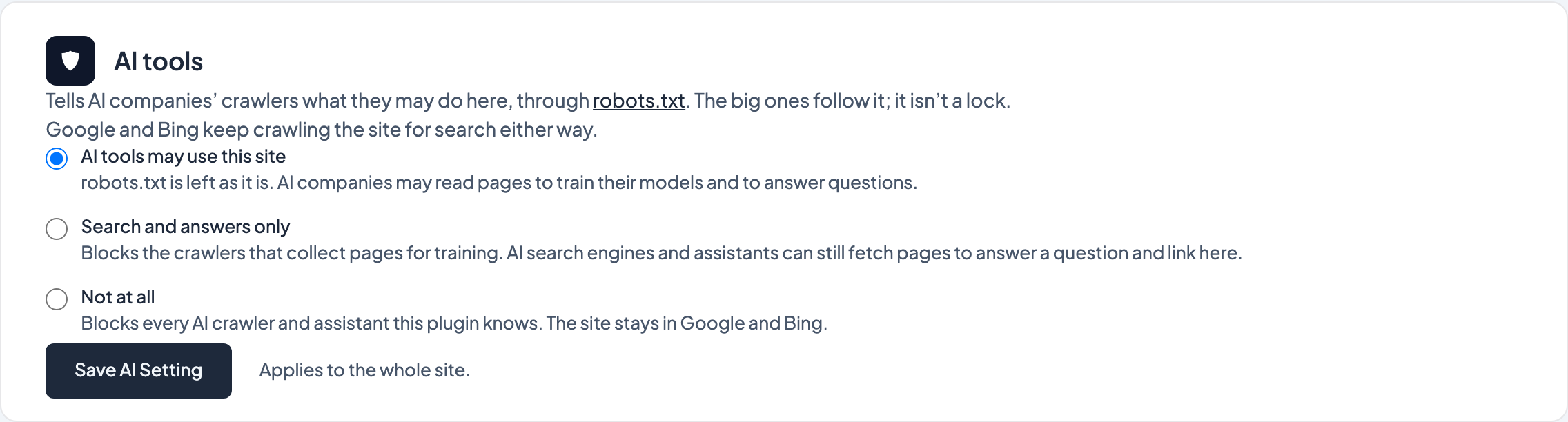
One choice for the whole site:
- AI tools may use this site (the default):
robots.txtis left as it is. AI companies may read your pages to train their models and to answer questions. - Search and answers only: blocks the crawlers that collect pages for training (such as OpenAI's GPTBot, Anthropic's ClaudeBot, Common Crawl and Google-Extended), but lets AI search engines and assistants fetch a page to answer someone's question and link to you (such as ChatGPT search, Claude, Perplexity and DuckDuckGo's assistant).
- Not at all: blocks every AI crawler and assistant the plugin knows.
Whichever you choose, the site stays in Google and Bing: their search crawlers are the same ones that feed AI Overviews and Copilot, so they are never blocked.
The rules go in robots.txt, which the big AI companies follow. It isn't a lock: a crawler that ignores robots.txt isn't stopped by it. The list of crawlers is kept up as vendors add and rename them, so it's best-effort rather than complete.
llms.txt
llms.txt is a plain-text file AI tools read for a quick, trustworthy summary of a site (see llmstxt.org). Dirigible SEO builds it for you from:
- the site name and tagline (Settings → General), and the Home Page Description under SEO → Settings
- your home page and every top-level published page, in menu order, each with its SEO Description (or its excerpt, or its opening text when there's neither)
- the blog page and any post type archive, such as Documentation
Pages that search engines are asked not to list stay out: Private Page (Do Not Index), a canonical URL that points elsewhere, pages hidden from the site's search, and the theme's utility pages (the 404 page, thank-you pages, untouched sample content).
Extra notes are added to the end exactly as written, so this is the place for anything the pages don't say: who the site is for, what you offer, how to get in touch. Markdown works. The Preview shows the file as it will be served, and updates as you type.
If your site already has an llms.txt file
A file named llms.txt in the site's root folder (one you uploaded, or one the old LLMs.txt Manager tool wrote) is served as it is, so the generated version isn't used while it's there. The tab says so and offers two ways on:
- Leave it: nothing changes.
- Use the generated one: tick the confirmation box and select the button. The file's text is copied to the end of Extra notes, then the file is deleted. Nothing is deleted without that confirmation.
On a multisite network the file is shared by every site, so it can't be replaced from here.
Tips
- Anyone can read
llms.txtandrobots.txt, so keep private notes out of them. - Changes reach visitors within about an hour:
llms.txtandrobots.txtare cached at the edge, and publishing a page doesn't clear them. - A good SEO Description on each main page makes a good
llms.txt. The Reports tab lists pages that don't have one.
Screenshots
Editor
-
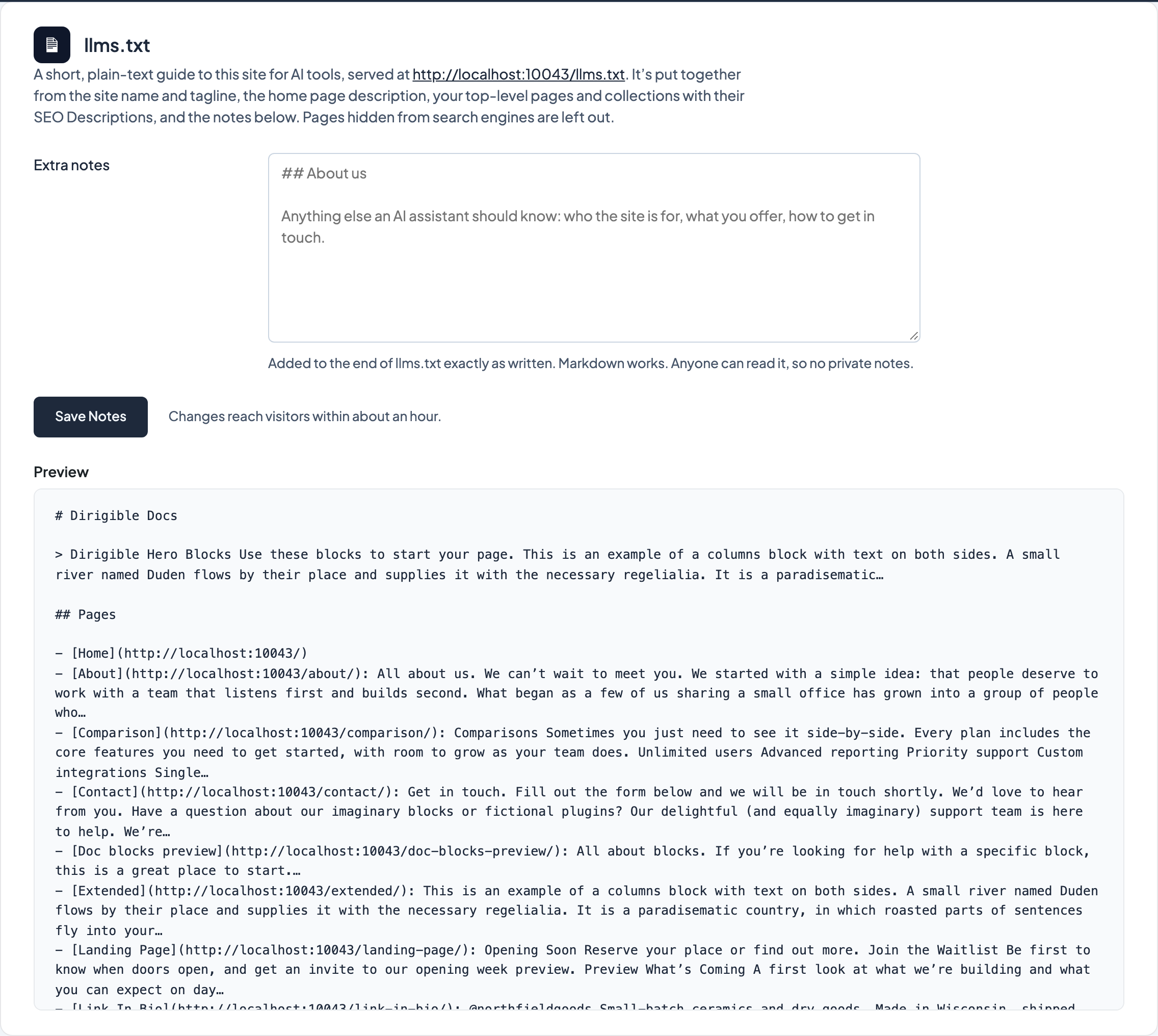
The generated llms.txt, with Extra notes and a preview.