

Sitemap
Overview
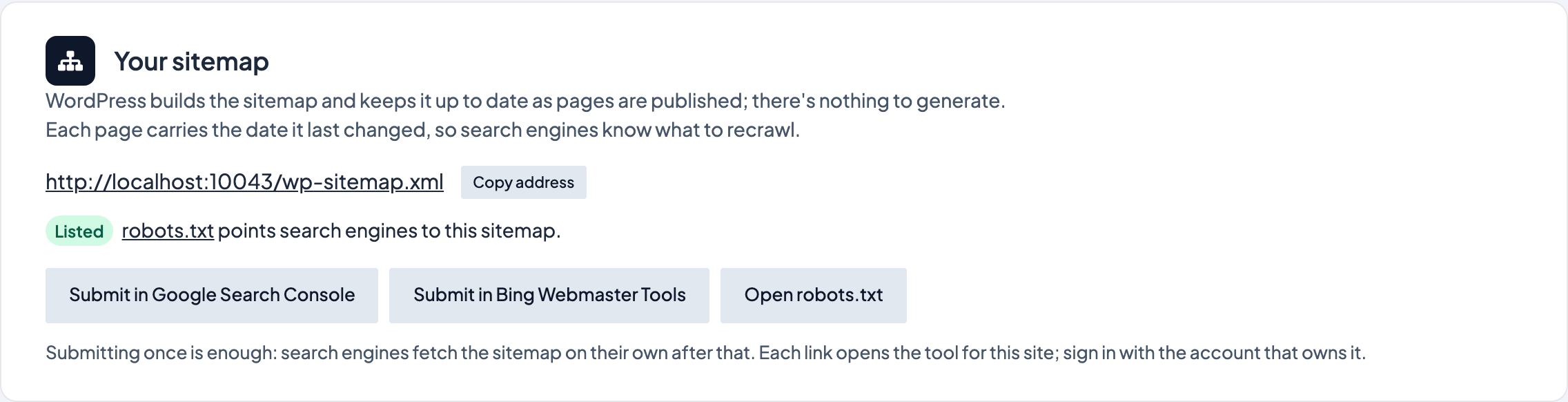
A sitemap is a list of your site's pages that search engines read to find new and changed pages. WordPress builds one for you and keeps it current as you publish; there's nothing to generate. The Sitemap tab shows where it is, what it lists, what it leaves out and why, and gives you the links to submit it.
Each page in the sitemap carries the date it was last changed, and so does each category, tag and other archive (the date of the newest post in it), so search engines know what to recrawl.
Where to find it
- In the WordPress admin, go to SEO → Sitemap
- The address at the top is your sitemap. Copy address copies it.
You need an Administrator account.
What the tab shows
- Your sitemap: the address, and whether
robots.txtpoints search engines to it. WordPress adds that line itself; if arobots.txtfile has been uploaded to the server it replaces WordPress's, so the tab tells you when the line is missing. - What it lists: one sitemap per kind of content (pages, posts, each custom type, categories, tags, authors) with how many it lists and how many published pages are left out.
- Left out, and why: pages with Private Page (Do Not Index) checked or a canonical URL pointing elsewhere, the theme's utility pages (the 404 page, form thank-you pages, WordPress's unedited sample content), repeat dates of recurring events, media files, and author pages on a single-author site. Drafts, private and scheduled pages are never listed.
- IndexNow: see below.
If Yoast SEO, SEOPress or All in One SEO is active, it builds the sitemap instead, and the tab shows that plugin's address.
Submitting the sitemap
Search engines usually find the sitemap on their own through robots.txt. Submitting it once makes sure of it and lets you see how it was read:
- Submit in Google Search Console opens the Sitemaps page for this site. Sign in with the Google account that owns the site, paste the address and select Submit.
- Submit in Bing Webmaster Tools does the same for Bing (which also feeds DuckDuckGo and Yahoo).
You only need to do this once per site. If Settings → Reading discourages search engines, WordPress serves no sitemap; the tab says so.
IndexNow
IndexNow tells Bing, Yandex, Naver, Seznam and other search engines about a page within a minute or so of you publishing, changing or taking it down, so they recrawl it without waiting for their next visit. Google doesn't take part; it reads the sitemap instead.
It's on by default and needs no setup: Dirigible SEO makes a key for the site and serves it at the address the tab shows, which is how search engines confirm the notices come from you. The tab shows when the last batch went out, how many pages it covered, whether it was accepted, and how many pages are waiting. Only pages the sitemap lists are sent: a page with Private Page (Do Not Index) checked, a draft or a password-protected page is never reported.
On a development or staging site nothing is sent; the tab records what would have been sent instead.
To stop it for a site, select Turn off IndexNow on the tab; Turn on IndexNow starts it again. Search engines then find changes through the sitemap alone.
Tips
- A sitemap is for search engines, not people. It's kept in the site's edge cache for a while, so a page you've just published can take a little time to show at the address above. Search engines get told about it straight away through IndexNow.
- If robots.txt lists a sitemap at another address, it was probably written by a plugin that's since been turned off. Update it, or submit the address from this tab in Search Console so there's no confusion.
- Set Private Page (Do Not Index) in a page's SEO box to keep it out of both search results and the sitemap; the Reports tab lists those pages.