

SEO settings
Overview
SEO → Settings holds the settings that apply to the whole site. Each page's own title and description are in its SEO box (see Page SEO).
These settings used to be under Appearance → Customize → SEO → Options. They moved here with the same values, so there's nothing to set again.
Where to find these settings
- In the WordPress admin, go to SEO → Settings
- Change what you need and select Save Settings
You need an Administrator account.
General
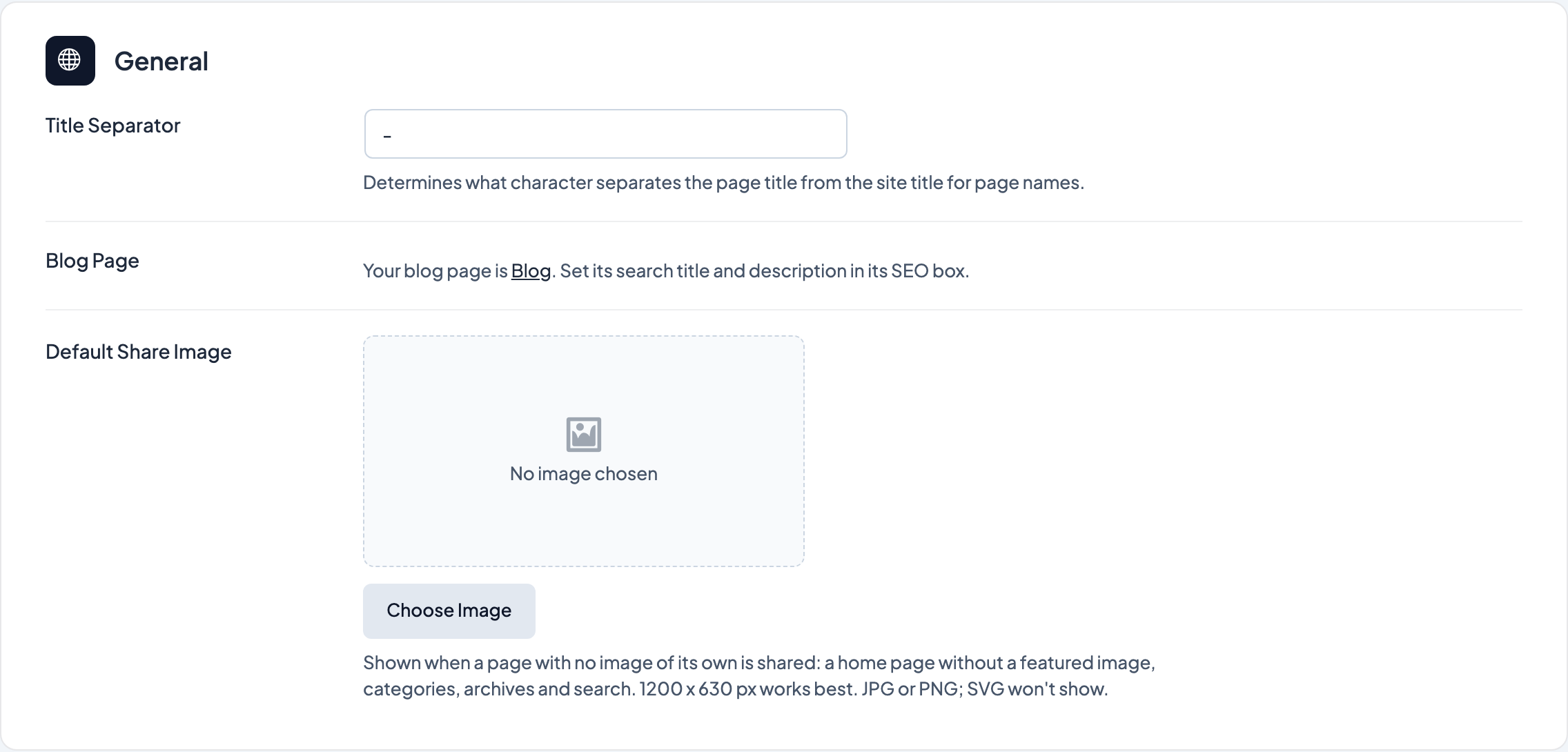
- Title Separator: the character between the page name and the site name (default
-). It's used whenever a title includes the separator pill, and when Dirigible SEO builds a default title from the page name and the site name. - Blog Page Title: when your home page lists your latest posts (Settings → Reading), the search title for that page, since it has no SEO box of its own. Leave it empty for the site name, separator and tagline (or Home, the separator and the site name with no tagline).
{site}and{|}work here. When your home page is a WordPress page, this and Blog Page Description are replaced by a link to your blog page, which has its own SEO box. - Blog Page Description: that page's meta description. Leave it empty to use the tagline from Settings → General.
- Default Share Image: the picture shown when someone shares a page that has no featured image, and categories, archives and search results. Pages with a featured image share that instead. Use a JPG or PNG, ideally 1200 × 630 px; SVG images don't show on Facebook, LinkedIn or X. Leave it empty to use the image the Dirigible theme makes from your logo on the brand colour instead (Primary colour, with the Reverse Logo on a dark colour), or no image on a site without a logo or on a server that can't draw one.
Structured Data
Every page tells search engines who the site belongs to, in structured data they read but visitors don't see. It includes the site name and logo, and the address, phone, email and social links from the footer settings (Dashboard → Settings → Footer & Contact). Organization Type says what kind of organization that is, and changing it keeps all of those details:
- Local Business (the default): a business with a place customers visit or call. Pick a closer match when there is one; these all keep the address and opening hours:
- Restaurant or Café, Hotel, Shop or Store, Spa, Salon or Fitness, Medical or Therapy Practice, Pharmacy, Law Office, Builder or Contractor, Professional Service (consulting, agencies and other services)
- Organization: an organization without a storefront. Or, closer: Nonprofit, School or University, Company.
- Person: a personal site, like an author's, artist's or coach's. The logo is shared as their picture.
- Band or Music Group: a band, choir or other group that performs. Three more settings appear:
- Genre: separate genres with commas, like
Folk, Bluegrass. - Home Town: where the band is from, like
Asheville, NC. - Members: one name per line.
- Genre: separate genres with commas, like
Contact Details decides where the address, phone, email and profiles come from:
- From Footer & Contact (the default): whatever the footer settings say.
- Set here: fields for street address, city, state, ZIP code, country, phone, email and profiles (one link per line, like an Instagram or Spotify page) appear, filled in from the footer to start with. Change them to tell search engines something different from the footer, such as a booking email. Empty fields are left out; they don't fall back to the footer.
Search engines read all of this, so leave out a personal email or home address you don't want listed.
Tips
- Change the separator before you finish titles on a new site, so every default title matches.
- The same character appears on the separator pill in the SEO box on posts and pages.
- If your home page is a WordPress page, the Blog Page settings don't show: give your blog page a title and description in its own SEO box.
- While Yoast SEO, SEOPress or All in One SEO is active, that plugin decides titles, descriptions and structured data, and a notice on this page says so.
- Search engines pick up structured data changes the next time they visit, which can take a few days. Google's Rich Results Test shows what a page prints now.
Screenshots
Editor
-
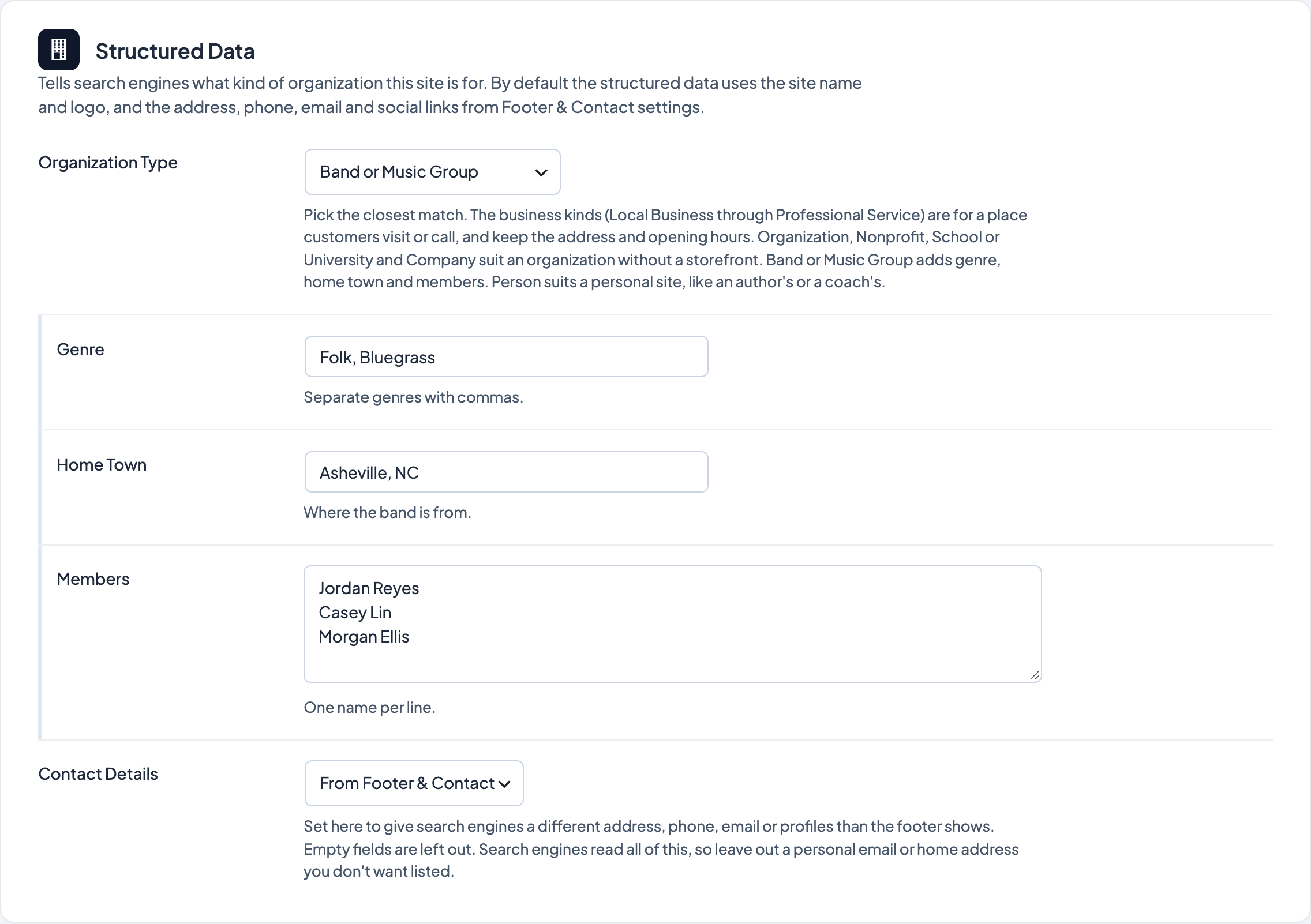
Band or Music Group adds Genre, Home Town and Members.