

SEO reports
Overview
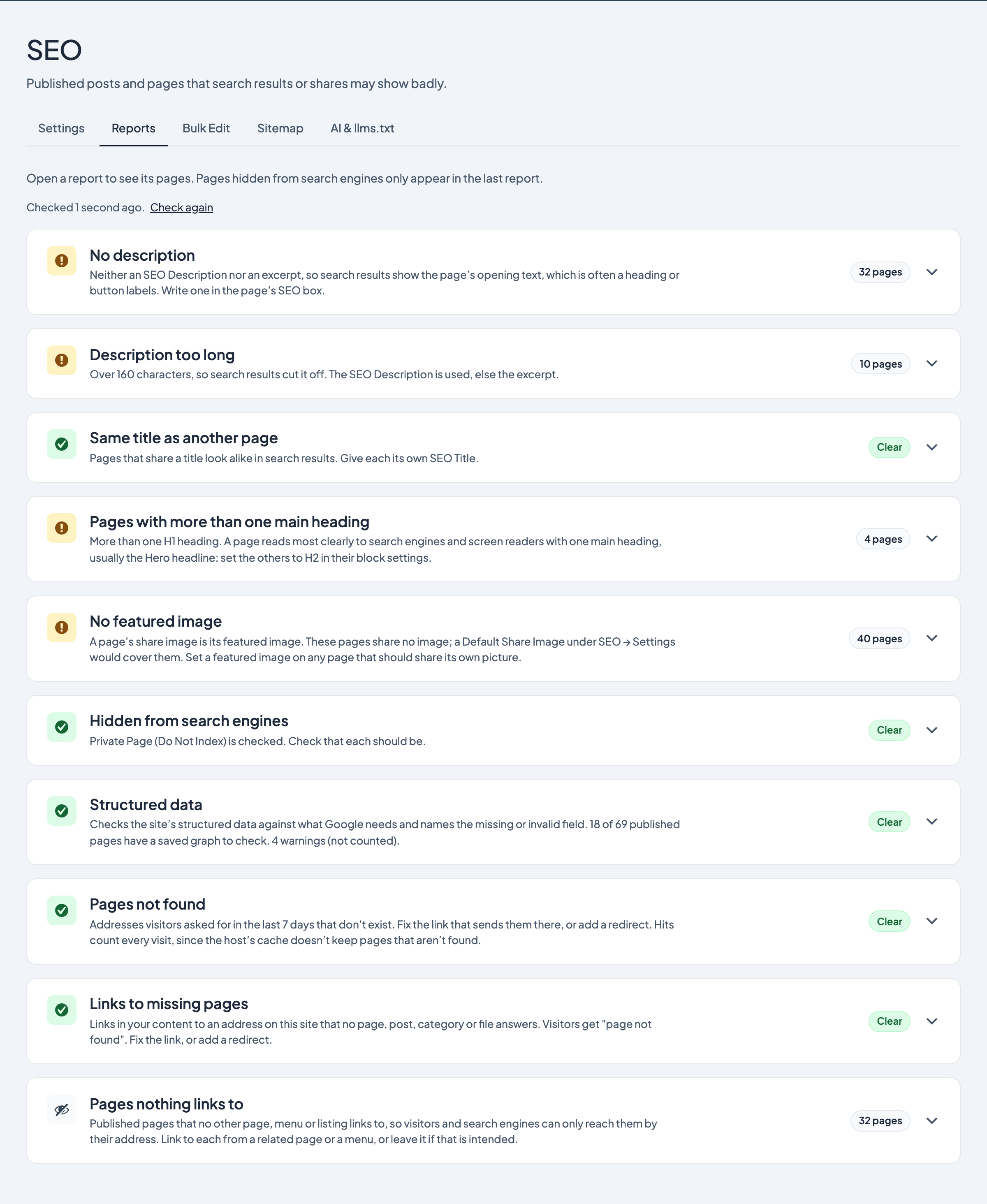
The Reports tab lists published posts, pages and other public content that search results or shares may show badly, so you can fix them one at a time. Each title links to its editor, where the SEO box is.
Where to find the reports
- In the WordPress admin, go to SEO → Reports
- Open a report to see its pages. The number beside each report is how many pages it lists.
You need an Administrator account.
The reports
- No description: no SEO Description and no excerpt, so search results show the page's opening text, which is often a heading or button labels. Write a description in the page's SEO box.
- Description too long: over 160 characters, so search results cut it off. This checks the SEO Description, or the excerpt when there's no SEO Description.
- Same title as another page: pages that share a title look alike in search results. Give each its own SEO Title.
- Pages with more than one main heading: more than one H1 heading. A page reads most clearly to search engines and screen readers with one main heading, usually the Hero headline. Set the others to H2 in their block settings. A Hero headline keeps its look through its separate Style setting. See below for what this report counts.
- No featured image: a page's share image is its featured image, so these pages don't share a picture of their own. If you've set a Default Share Image under SEO → Settings, shares use that instead; otherwise they use the image the Dirigible theme makes from your logo on the brand colour (with Dirigible theme 5.31.186 or newer and a logo set), or show no image. Set a featured image on any page that should share its own picture; in the block editor, the SEO panel offers to use the first block's background picture.
- Hidden from search engines: pages with Private Page (Do Not Index) checked. Check that each one should be hidden. Hidden pages don't appear in the other reports.
How main headings are counted
The report reads each page's saved content instead of loading every page, so it stays quick on large sites. It counts H1 headings in the content and in any synced patterns it uses, a Header Banner, Artwork, Post Title or Site Title block set to H1, and the title the theme prints above a blog post (unless that post hides its title or opens with a Hero) or a person's or artwork's page prints above its content. In a Hero Slider only the first slide with a headline counts, because the other slides' headlines are shown as H2.
It can't see H1 headings added by blocks from other plugins when the page is shown, or by a plugin's own page layout other than People and Artworks. Pages without any H1 aren't listed: the Dirigible theme gives those their title as a hidden H1.
Tips
- Each report shows its first 50 pages. Select Show all at the bottom for the rest.
- The reports are kept for up to 12 hours so the tab opens quickly, and are worked out again as soon as a page or its SEO box is saved. The line under the intro says when they were last checked; select Check again after an import or anything else that changes many pages at once.
- Hidden from search engines isn't marked as a problem, since pages are often hidden on purpose.
- Password-protected pages and drafts aren't checked.