

AI Fill
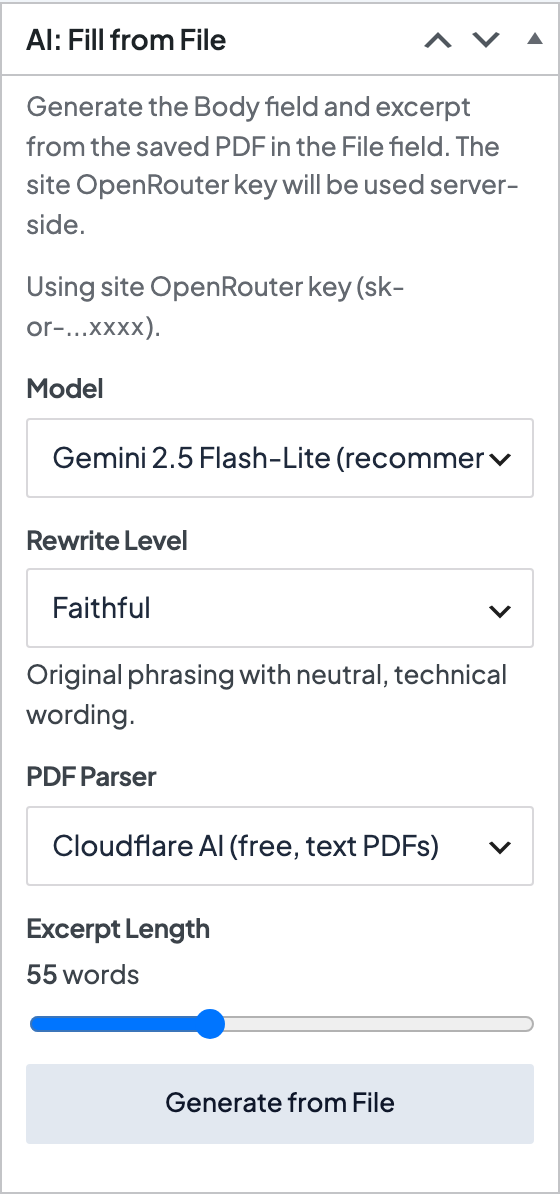
What it helps you do
Draft Body and the Excerpt from the PDF in File, so you do not have to write the page from scratch.
AI Fill works with PDFs only. Other file types stay in File but do not generate copy.
Where to find it
- Edit a doc under Documentation → All Docs
- Open the AI: Fill from File box in the sidebar (under the doc's settings, below the Doc panel)
How to use it
- Upload a PDF in File and save the doc
- Confirm the site OpenRouter key is saved (Theme Setup or Dirigible → AI / OpenRouter)
- Choose a Rewrite Level: Faithful (closest to the source), Balanced, or Marketing
- Click Generate from File
- Review Body and the Excerpt on the page preview, then save
If no site key is saved, the box asks for a key for that request only. It is not stored.
Things to know
- Generating replaces whatever is already in Body and the excerpt. Make your edits afterward.
- The downloadable file is not changed.
- Usage is billed to the OpenRouter account on the site key.
