

Documentation
Overview
Documentation has one site-wide control: Documentation Base Page. That page is the public library once it contains a Documentation Explorer.
Where to find these settings
- In the WordPress admin, go to Appearance → Customize
- Open Dirigible Documentation
- Select Documentation
Settings
- Documentation Base Page — the published page that serves as your documentation hub. Leave it empty if you do not want a hub.
Tips
- Put Documentation Explorer on the page before you select it here.
- If filter URLs show “page not found” after you first choose a page or change its slug, go to Settings → Permalinks and click Save Changes.
Settings
Documentation
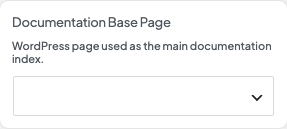
Documentation Base Page (page selector)
The published page that becomes your documentation hub and turns on filter URLs. Leave it empty if you do not want a hub.