

Events Calendar
Usage
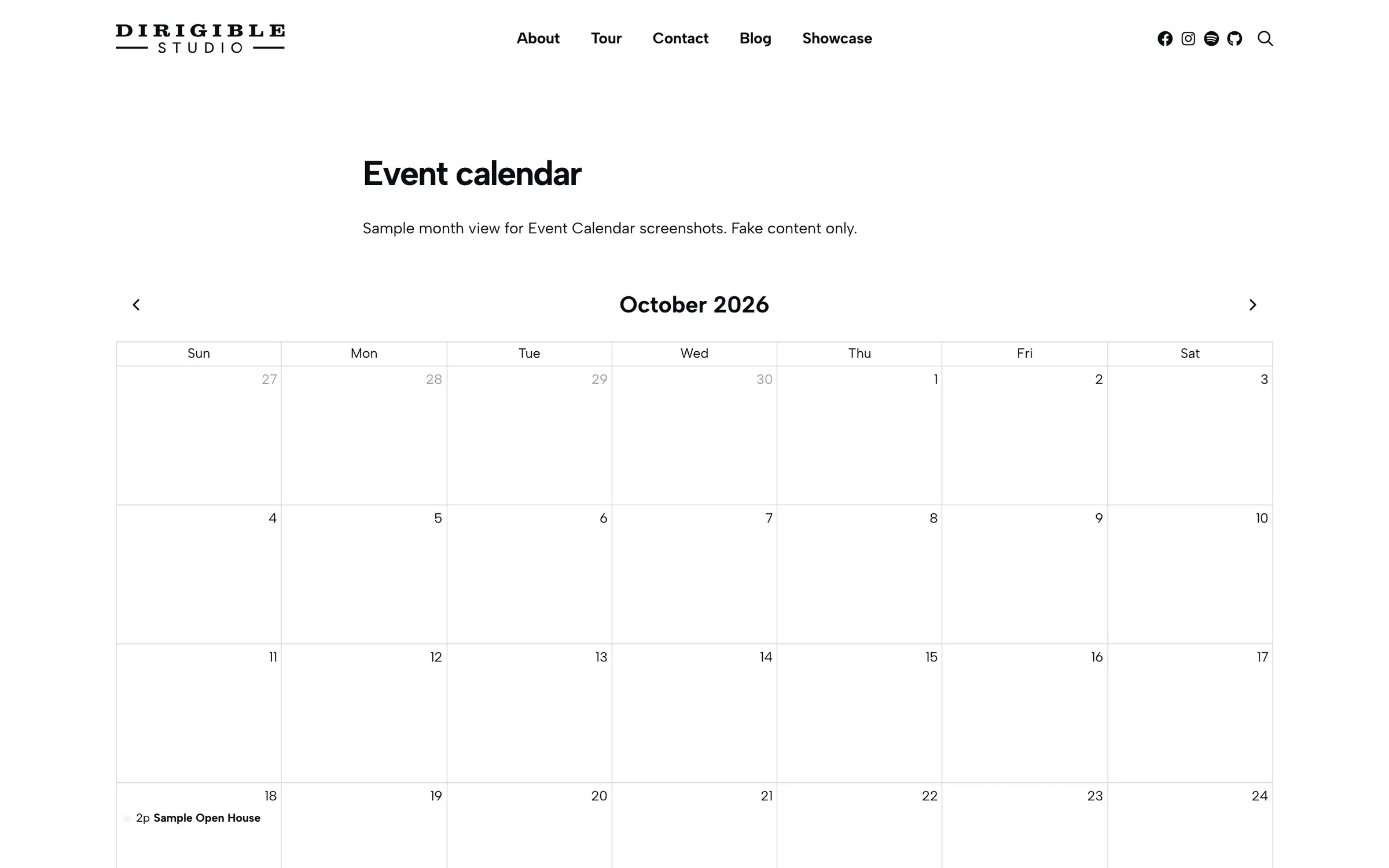
Events Calendar puts your events on a month-view event calendar. Visitors page through months and click an event to open its page.
Put it at the top of your main events page with an Events list below, or use it alone when a calendar suits your schedule better than cards.
Settings
- Category — show only certain Event Categories; leave empty for all
- List Page Link (under Navigation) — the address of a page with the Events block's Agenda layout adds a List | Calendar switch above the calendar; leave empty for none
- Day view (under Navigation) — adds a Month | Day switch and a Today button above the calendar, and turns each day number into a link to that day; off by default
Front-end behavior
The calendar is the same month grid as the Events block's Hybrid layout, so both look and work alike.
- Each event shows on every day it covers, with its start time on the first day; the days it carries on through are lighter, so each day's own events stand out. A thin bar beside each event shows its first category's colour.
- The week starts on the day set in Settings → General → Week Starts On.
- The calendar opens on the current month, and today is marked in the site's timezone. The arrows page through months, and Today comes back. The address shows the month (
?cal=2026-12), so a month can be copied and shared. - On a phone the grid becomes a list of the days that have events, so long titles stay readable.
- A month with no events says so and links to the month of the next event.
Day view
With Day view on, visitors can see one day at a time:
- Select Day, or a day number in the month, to list that day's events in time order, laid out like the Agenda list and linked to their pages. A day without events says No events on this day.
- In the month, each day shows its first four events, then a +N more link to that day.
- The arrows go to the previous and next day, and Today goes back to today. Month returns to that day's month.
- The address shows the day (
?ev_view=day&cal=2026-11-18), so a day can be copied and shared.
If you moved from The Events Calendar, its day addresses (/events/today/, /events/day/2026-11-18/) open the calendar in Day view on that day, once a page's Events Calendar has Day view on.
Block width
Events Calendar supports Wide (default) and Full alignment.
Tips
- For a new events page, the Events block's Hybrid layout has Month, Week and Day views built in, beside its list, search and filters, so you don't need a separate calendar page. Use Events Calendar when you want a month grid on its own: it is that same Month view.
- Events without a Starts date won't appear on the calendar.
- When an Events list sits below the calendar, give both the same category filter.
- For a list page and a calendar page that switch between each other, give this block a List Page Link and the list's Agenda block a Calendar Page Link.
- Turn on Day view for a busy schedule, such as a venue with several events a night: a day's list is easier to read on a phone than a crowded month square.
Settings
Navigation
The address of a page with the Events block’s Agenda layout adds a List | Calendar switch above the calendar, the twin of that block’s Calendar Page Link. Leave empty for none.
Adds a Month | Day switch and a Today button above the calendar. Day numbers link to their day, which lists its events in time order, and a busy day shows its first four events and a +N more link; the address shows the day, so it can be shared. Off by default.
