

Use a starting template
To make every new page open with the same block layout, turn a published page into a starting template. A starting template is a published page or post that new ones copy. Once it's set, Add Page (or Add Post) opens with the same block layout, so you don't rebuild it each time. This needs Dirigible Blocks.
Set a starting template
Build the layout on a page or post.
Publish it. Drafts can't be starting templates.
In the page settings sidebar, open Starting template.
Turn on Use as starting template.
Turn on Include block content if new pages should also copy the text and images. Leave it off to copy the blocks with their content emptied.
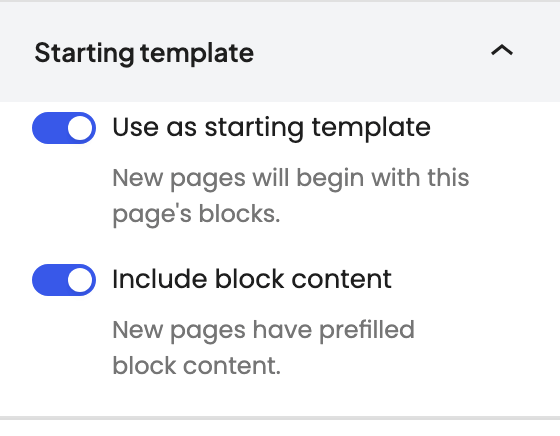
Click Save.
Each content type (pages, posts, and so on) gets one starting template. Setting a new one replaces the old one.
Start a new page from it
- Go to Pages → Add Page, or Posts → Add Post if the template is a post.
- The page opens with the template's layout.
- Replace the content and publish.
Tips
- With Include block content on, every new page copies whatever is in the template, so keep its text generic.
- For a section you want to drop into many pages, like a CTA band, use a synced pattern instead.
- The pages that Theme Setup creates on a new site are separate from starting templates. Theme Setup only makes those pages once.
- To hide the header and footer on one campaign page, use the Landing Page template instead of a starting template.
