

YARPP Related Posts
Usage
Open Appearance → Customize → Integrations → YARPP Related Posts when Yet Another Related Posts Plugin (YARPP) is active. Set Headline for the heading above the list. Choose Display for flush items or Card panels per related post.
Images picks a crop ratio for thumbnails — golden, square, widescreen, and other presets match blog card options elsewhere in the theme.
When to use it
- Related articles feel visually disconnected from the rest of the blog template.
- You want card-style related posts to match Blog & Posts → Post Cards.
- Thumbnail crops look inconsistent and need a single ratio across related items.
Tips
- YARPP chooses which posts are related — this panel styles output only, not matching rules (configure those in the YARPP plugin).
- Leave Images empty to use each photo's natural proportions.
- If the panel is missing, install and activate YARPP first.
- Changes apply wherever YARPP renders its related block on single posts.
Settings
YARPP Related Posts

Headline
Heading above the related posts list when YARPP is active.
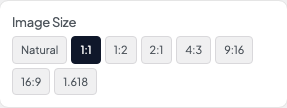
Image Size
Crop ratio for related post thumbnails.
- NaturalUse each image's natural proportions.
- 1:1 defaultSquare crop.
- 1:2Tall portrait crop.
- 2:1Wide landscape crop.
- 4:3Standard photo crop.
- 9:16Vertical video-style crop.
- 16:9Widescreen crop.
- 1.618Golden-ratio crop.
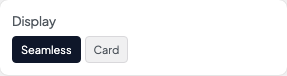
Display
Wrap each related post in a card or blend into the page background.
- Seamless defaultNo card background — sits flush with the page.
- CardEach item appears in a card panel.