

Performance
Usage
These settings now live in Dirigible Optimize, on Optimize Settings → jQuery. Optimize starts from what was chosen here, so nothing changes on the site. This section only appears in the Customizer while the site runs an older Dirigible Optimize that doesn't have the jQuery card yet; it goes away once Optimize updates.
Deactivating Optimize now turns the jQuery tweaks off: jQuery loads as WordPress ships it, with jQuery Migrate, at the top of every page. That makes deactivating Optimize a quick way to rule them out when a plugin misbehaves.
The rest of this page describes the settings while they're still here.
Open Appearance → Customize → Scripts & Embeds → Performance for two settings that help the live site load faster. Both deal with jQuery, a script library many WordPress plugins rely on.
Remove jQuery Migrate skips an older compatibility script (on by default). jQuery Defer decides how long jQuery waits to load:
- Off: jQuery loads normally. Use this if a plugin stops working.
- Safe Defer: the recommended default. jQuery waits only when every plugin script that uses it can wait too. Gravity Forms already loads its scripts that way, so pages with a form load faster as well.
- Aggressive Defer: jQuery and every plugin script that uses it wait. Faster on pages with slider or shop plugins, but it can break plugins that expect jQuery right away.
When to use it
- A speed test flags jQuery on mostly static marketing pages.
- A form or slider plugin stops working after an update. Set jQuery Defer to Off or Safe Defer.
- Shop or form-heavy sites trying Aggressive Defer for extra speed, with careful testing.
Tips
- Change one setting at a time, then test the cart, forms, and menus before publishing.
- Slider, shop, and form add-on plugins are the most common reason to avoid Aggressive Defer.
- Leave Remove jQuery Migrate on unless an older plugin stops working.
- These settings affect the public site, not the WordPress admin.
Settings
Performance
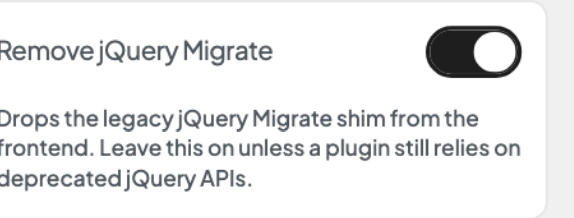
Drops the legacy jQuery Migrate shim from the frontend. Leave this on unless a plugin still relies on deprecated jQuery APIs.
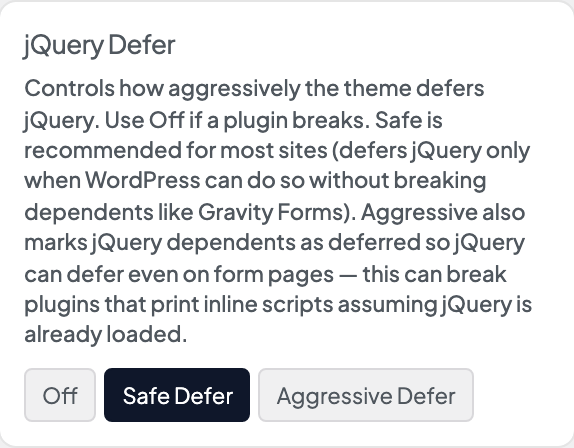
Controls how aggressively the theme defers jQuery. Use Off if a plugin breaks. Safe is recommended for most sites: jQuery waits only when every script that uses it can wait too, including Gravity Forms, so pages with a form load faster as well. Aggressive also makes other plugins' jQuery scripts wait, so jQuery defers on more pages. This can break plugins that expect jQuery to be loaded right away.
